

Test Case Generation, Reviewing & Editing
VibeTester allows you to generate and refine test cases directly from Jira issues. Once enabled on an issue, you can configure the integration, select rules and formats, add context, and then review/edit test cases before importing or exporting.
1. Accessing VibeTester on an Issue
Section titled “1. Accessing VibeTester on an Issue”-
Open a Jira issue (Story, Task, Bug, etc.).
-
Click the View App Actions button (underneath the issue summary).
-
Select VibeTester.
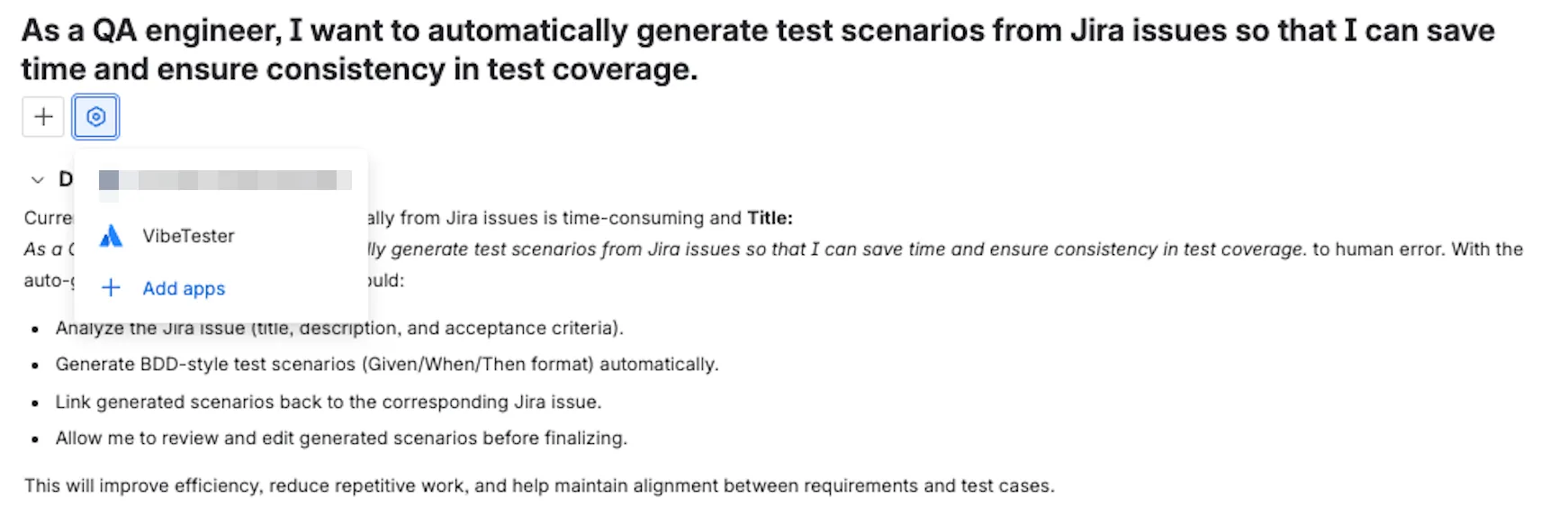
This enables the VibeTester App on issue view.
2. Configuring Test Case Generation
Section titled “2. Configuring Test Case Generation”In the VibeTester panel, configure the following:
-
AI Integration Details – preconfigured in VibeTester (App Settings).
-
Test Format – choose between Manual, Cucumber, or Generic (see below). Selecting the Test Format pulls in the the additional context set in the Test Case Rules
-
Additional Context – add case-specific details (recommended to capture edge cases or nuances for this issue).
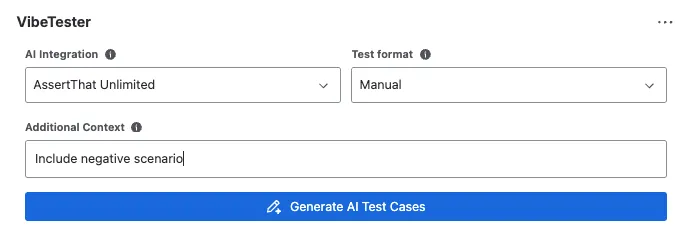
Click Generate AI Test Cases to create draft scenarios.
3. Test Formats
Section titled “3. Test Formats”VibeTester supports three output formats for test cases:
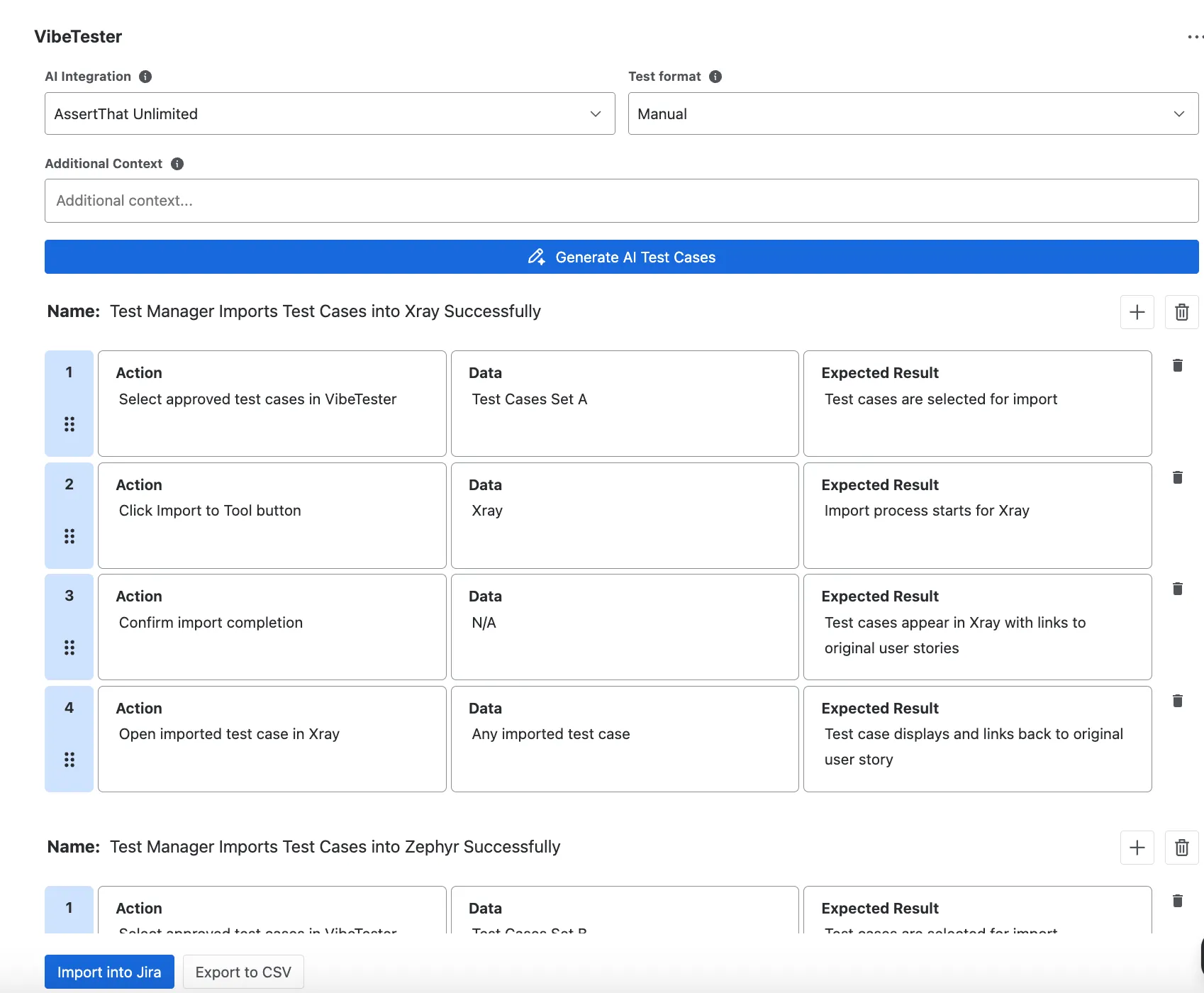
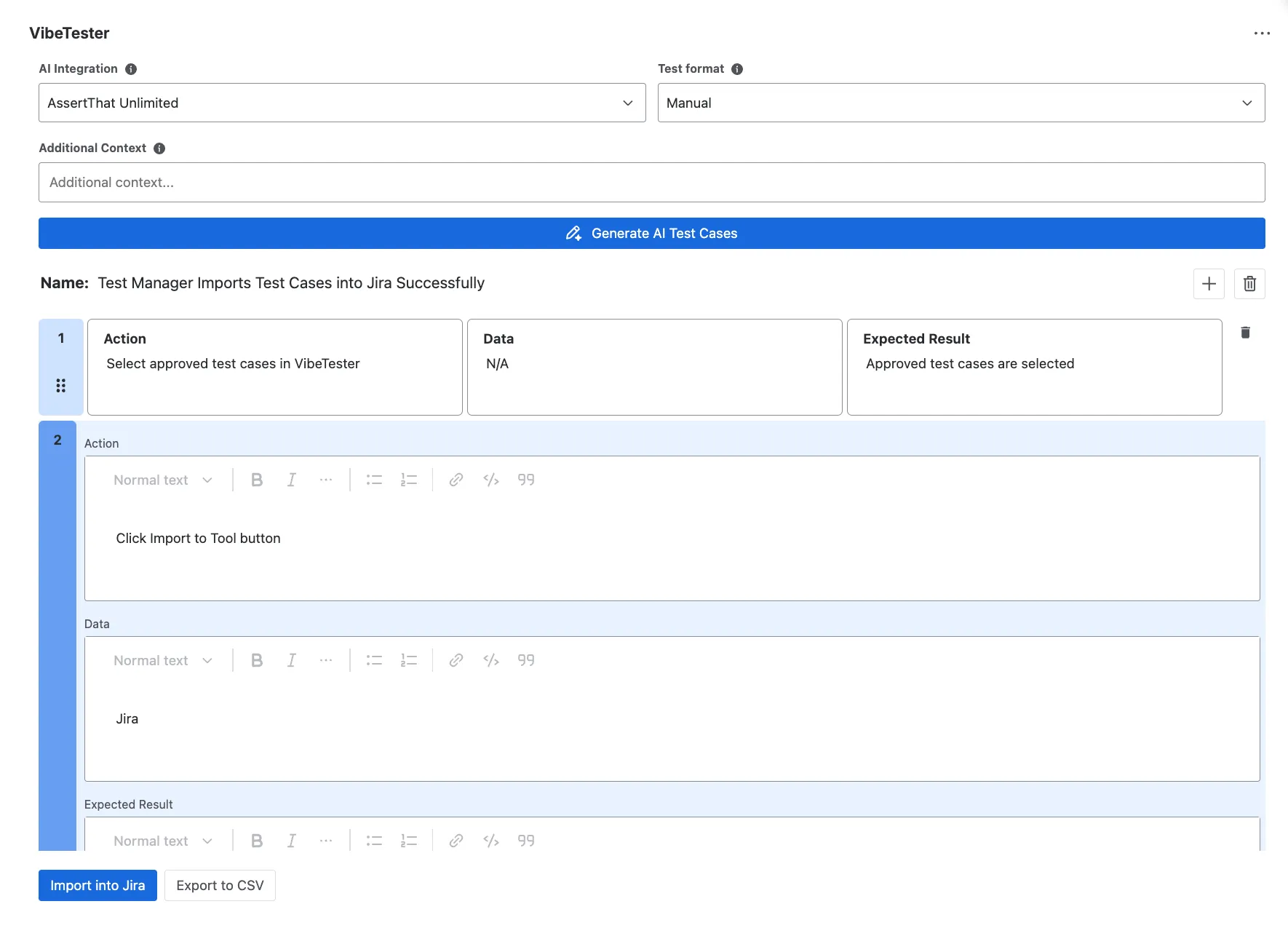
A. Manual Test Format
Section titled “A. Manual Test Format”-
Structure: Action → Data → Expected Result
-
Each step is broken into three parts for clarity.
-
Includes a rich text editor for formatting (bold, lists, links).
-
Formatting is preserved when imported into your test management tool.
B. Cucumber (BDD) Format
Section titled “B. Cucumber (BDD) Format”-
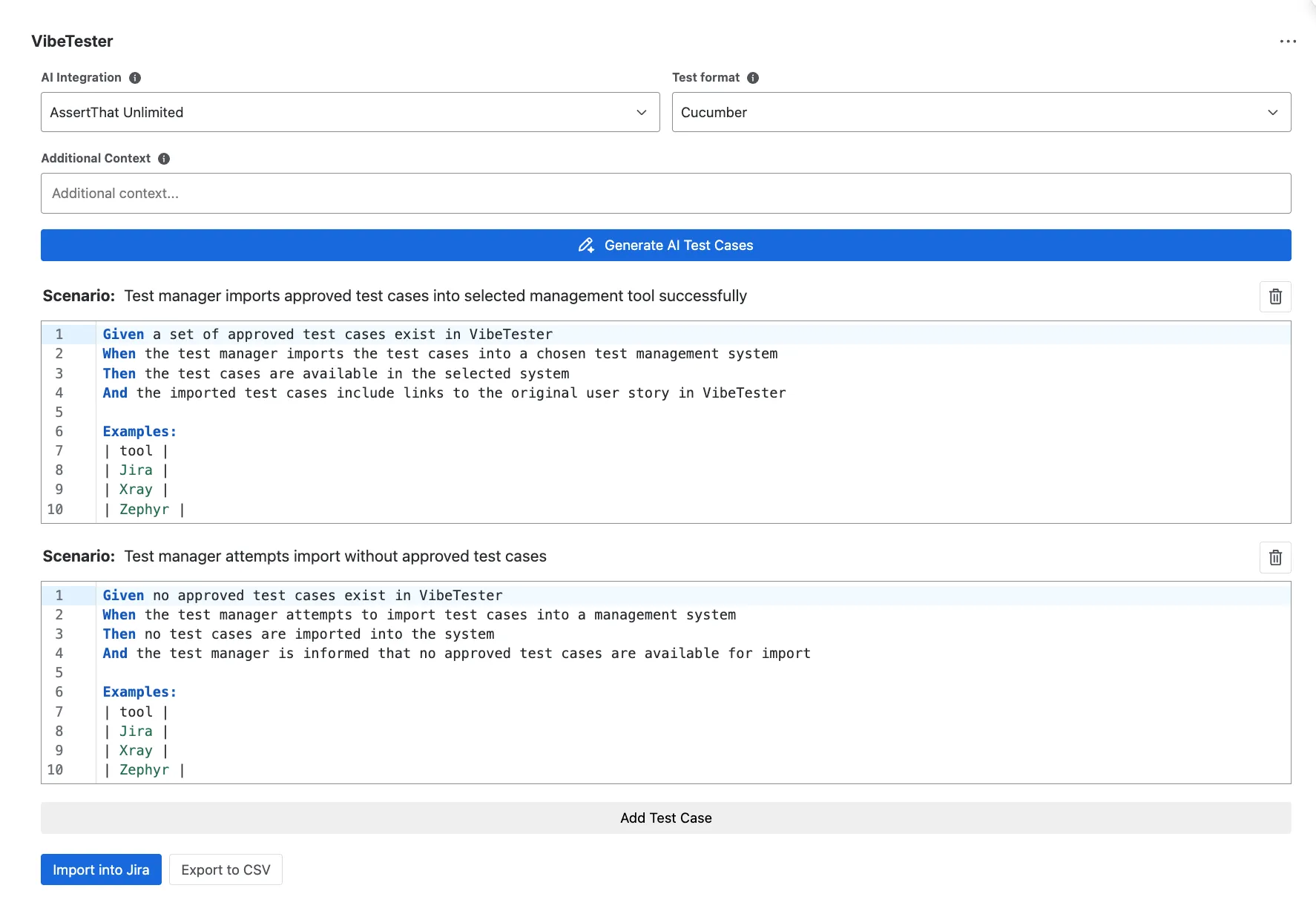
Preformatted using Given / When / Then syntax.
-
Suitable for teams practicing BDD or exporting to Cucumber-compatible tools.
-
Each acceptance criterion maps to one scenario.
C. Generic Test Format
Section titled “C. Generic Test Format”-
Outputs all data and scenarios in a single block.
-
Useful for flexible export/import into tools without strict step structure.
-
Helpful for exploratory or lightweight testing.
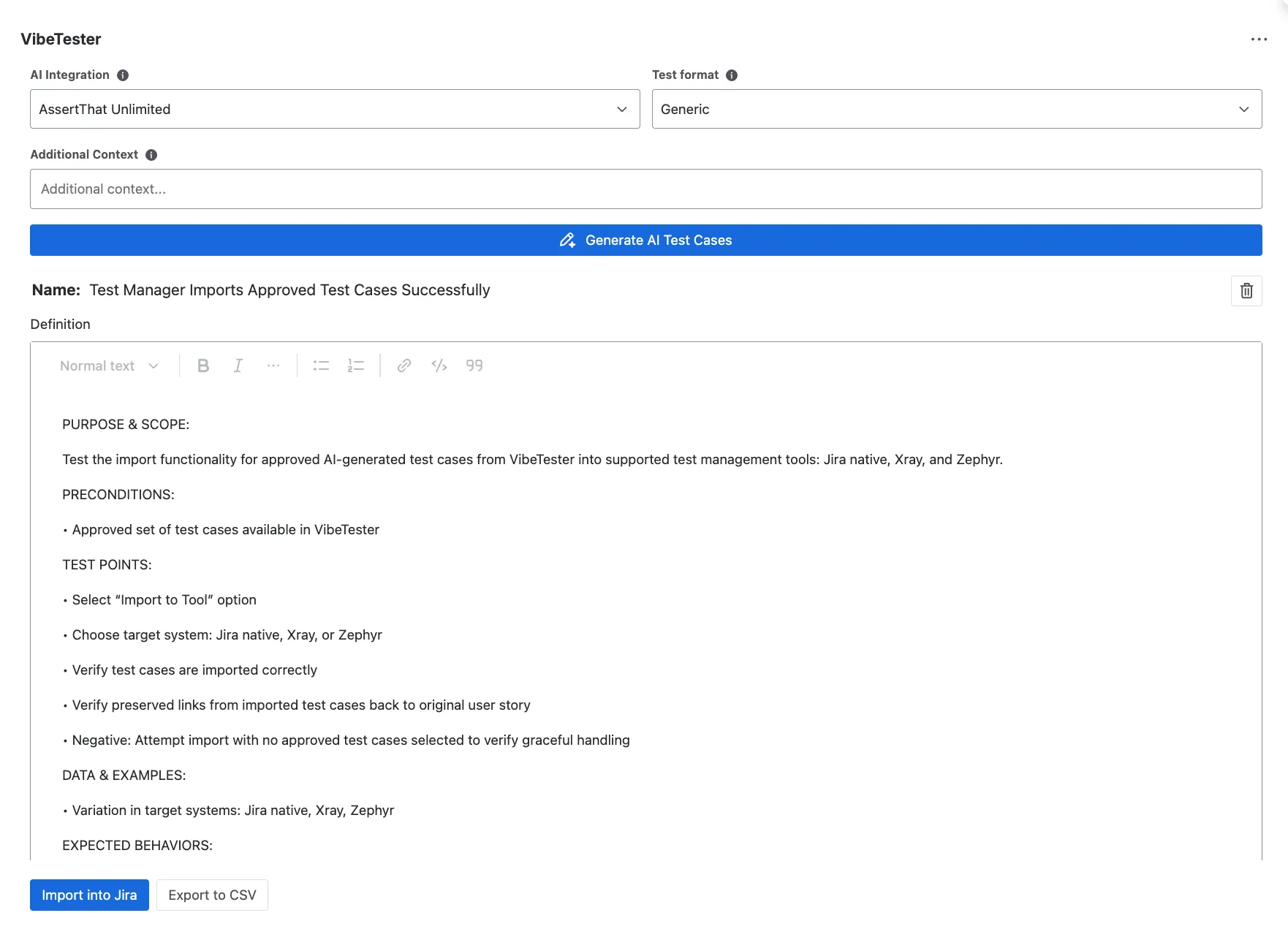
4. Reviewing & Editing Test Cases
Section titled “4. Reviewing & Editing Test Cases”AI-generated test cases should always be validated by a human.
In the VibeTester panel you can:
-
✏️ Edit steps – refine text for clarity and correctness.
-
➕ Add steps – include missing actions or validations.
-
🗑 Delete steps – remove irrelevant or duplicate content.
-
➕ Add new scenarios manually – create additional cases alongside AI-generated ones.
5. Best Practices
Section titled “5. Best Practices”-
Always review and adjust generated cases before importing.
-
Use Manual format for detailed validation, Cucumber for BDD workflows, and Generic for exploratory/flexible needs.
-
Keep project-wide consistency in Test Case Rules, while adding issue-specific context where needed.
-
Validate Expected Results are observable and measurable (no vague terms like “works correctly”).