

Project Settings (enable plugin)
The Project Settings page allows project administrators to enable or disable VibeTester for their Jira project and configure how test cases are generated.
These settings define how VibeTester works within a specific project.
Accessing Project Settings
Section titled “Accessing Project Settings”-
Navigate to your Jira project.
-
Go to Project Settings → VibeTester.
-
You will see the following configuration options:
-
Enable for Project toggle
-
Test Management Integration
-
Issue Fields for AI Context
-
Test Case Generation Rules
-
1. Enable for Project
Section titled “1. Enable for Project”-
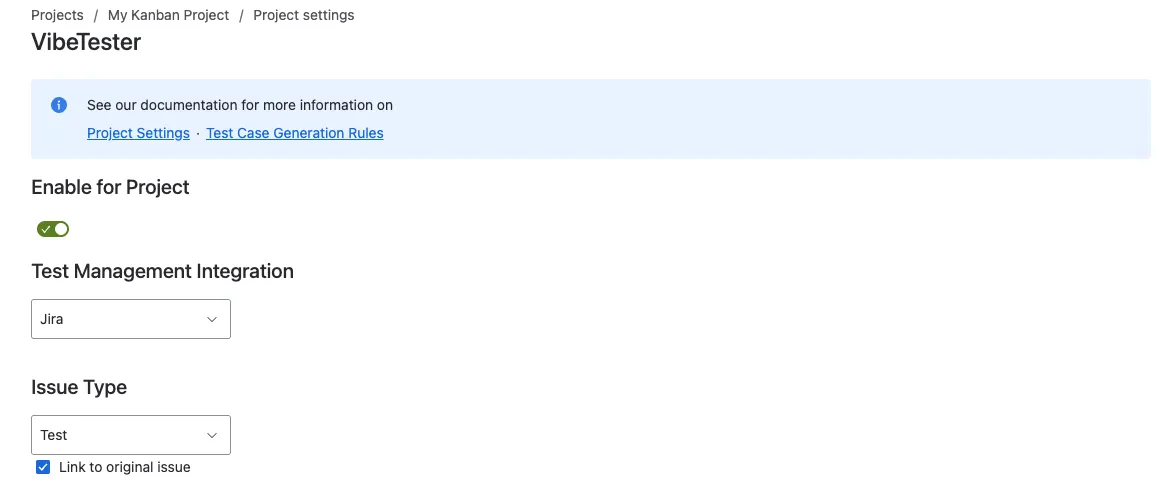
Toggle on/off to enable or disable VibeTester for this project.
-
When disabled, the VibeTester panel will not appear on issues.

2. Test Management Integration
Section titled “2. Test Management Integration”This setup enables automatically generated test cases to either be loaded into Jira as standalone tickets or subtasks OR loaded directly into your Test Management tool.
-
From the dropdown, you can select your Test Management integration as defined in App Settings or Jira. Further details on Test Management Integrations can be found here. Currently available Test Management integrations are available below. Please get in contact if you require additional integrations.
-
Xray
-
Zephyr
-
Zephyr Essentials
-
-
Alternatively select Jira from the drop down. When you select Jira an additional option will be displayed where you can select the issue type you want the test cases to be created under. In addition select the check box link the test cases to the original issue.
3. Issue Fields for AI Context
Section titled “3. Issue Fields for AI Context”-
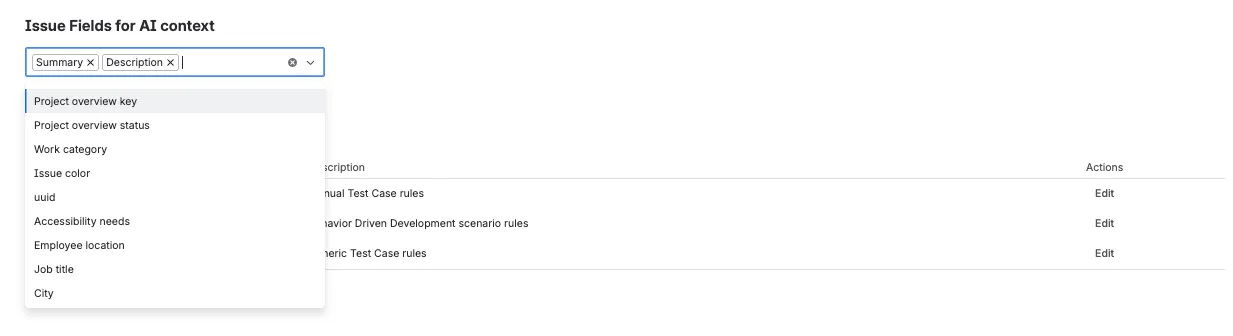
Specify which Jira fields should be included when generating test cases.
-
Common fields include:
-
Description
-
Acceptance Criteria
-
Custom fields (e.g., Preconditions, Business Rules)
-
4. Test Case Generation Rules (Optional)
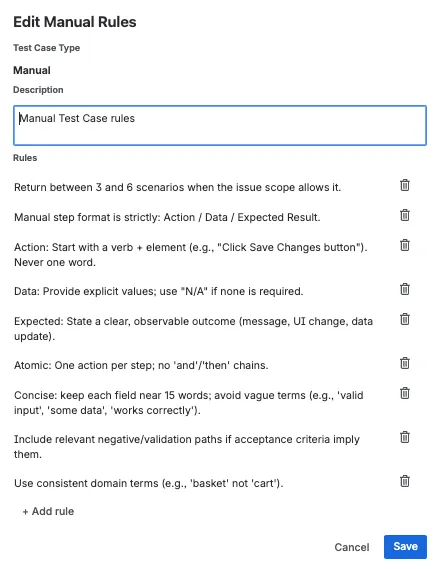
Section titled “4. Test Case Generation Rules (Optional)”Test Case Generation Rules can be used to customise test cases. Test case rules are can be setup for each of the 3 test case formats:
-
Manual – Action / Data / Expected Result format
-
Cucumber - Given/When/Then format
-
Generic – business-process focused acceptance style
For more details on hints and tips go to Test Case Generation Rules
Next Steps
Section titled “Next Steps”-
Review Test Case Generation Rules – Details for descriptions of BDD, Functional, and UAT formats.
-
Learn how to https://assertthat.atlassian.net/wiki/spaces/VIBE/pages/2849538442 from Jira Issues.