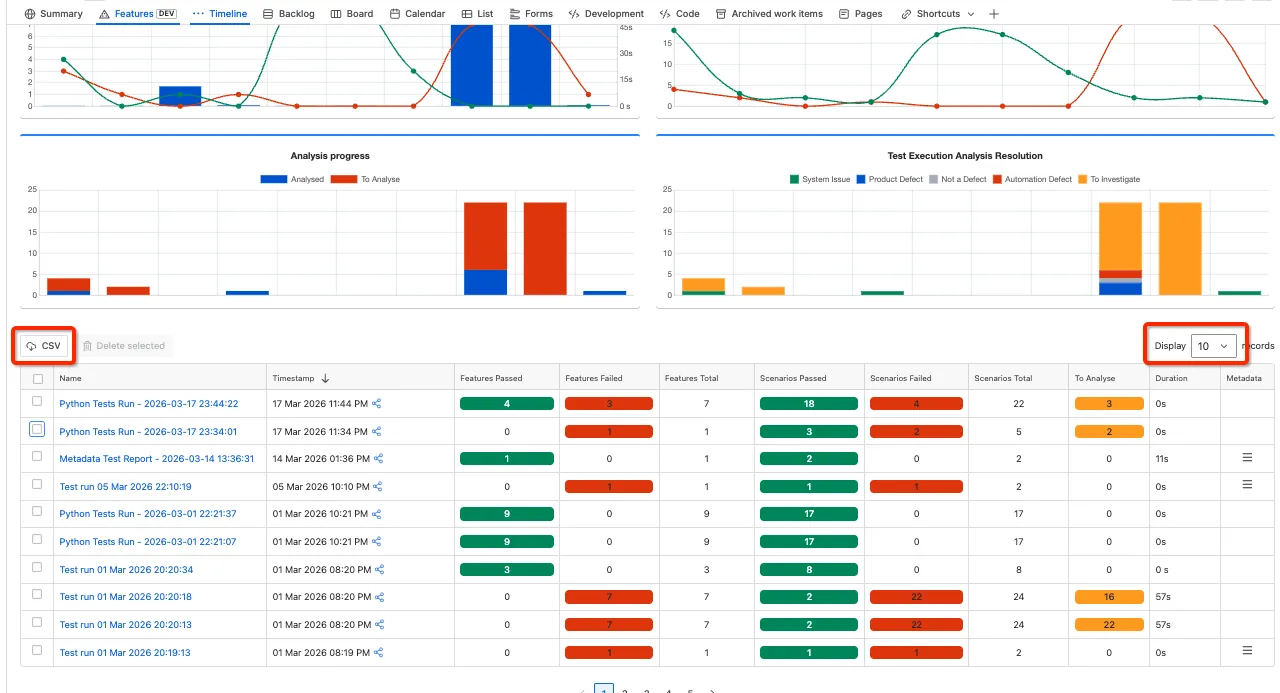

Automation Test Runs Summary
The Automation Report page displays the high level test run metrics and analysis. Further details on the specific runs, features and scenario status can be analysed by clicking on the test run name.
Use the filters to display the test runs and review the following charts:
-
Feature Status Distribution & Run Duration
-
Scenarion Execution Distribution
-
Analysis progress
-
Test Execution Analysis Resolution
Step 1: When configured (Integration with Test Automation Frameworks) test reports are automatically loaded and can be viewed in the Automated tests report.
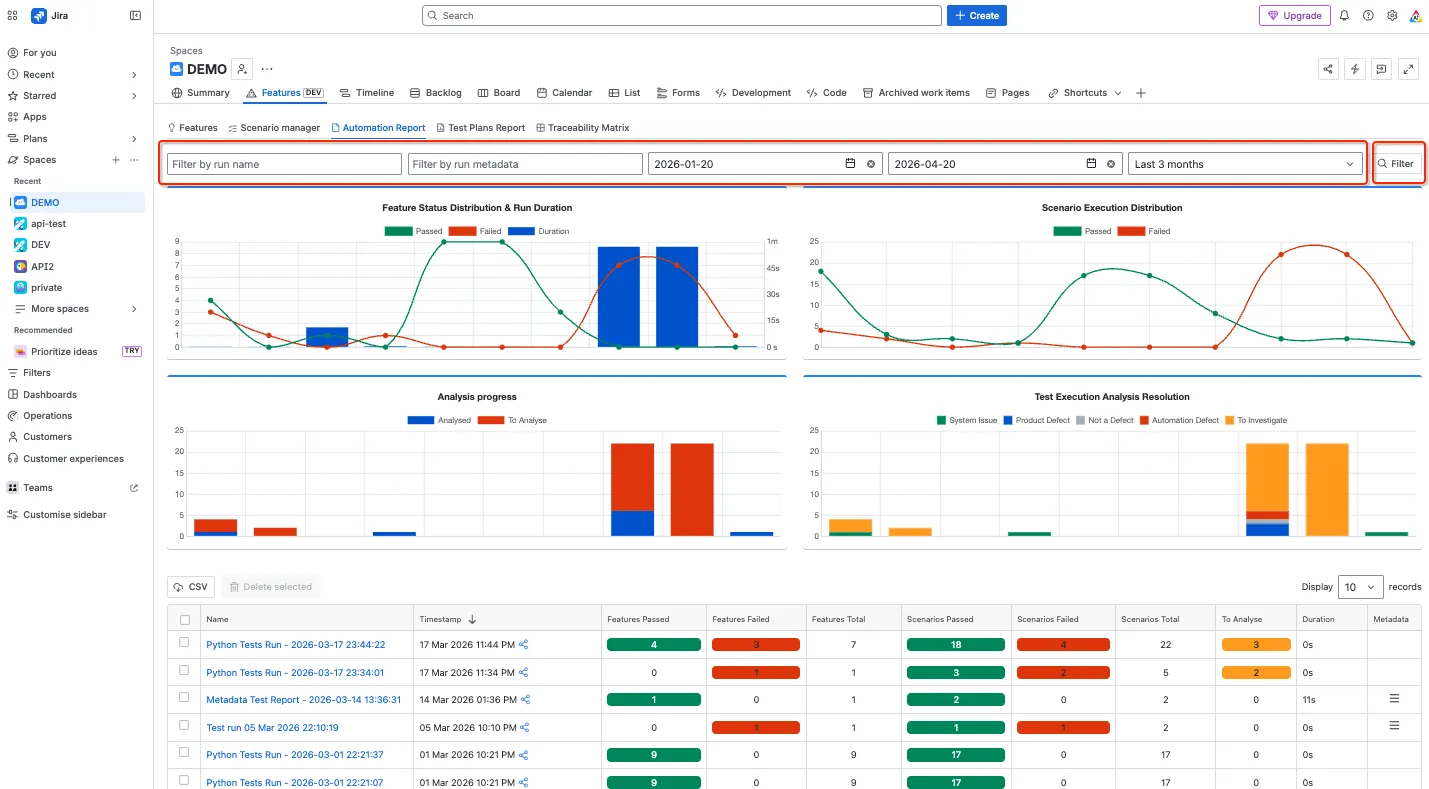
The reports displayed can be filtered using the following criteria:
-
Run name
-
Run Metadata
-
Date criteria
Click on Filter to update the displayed test runs:
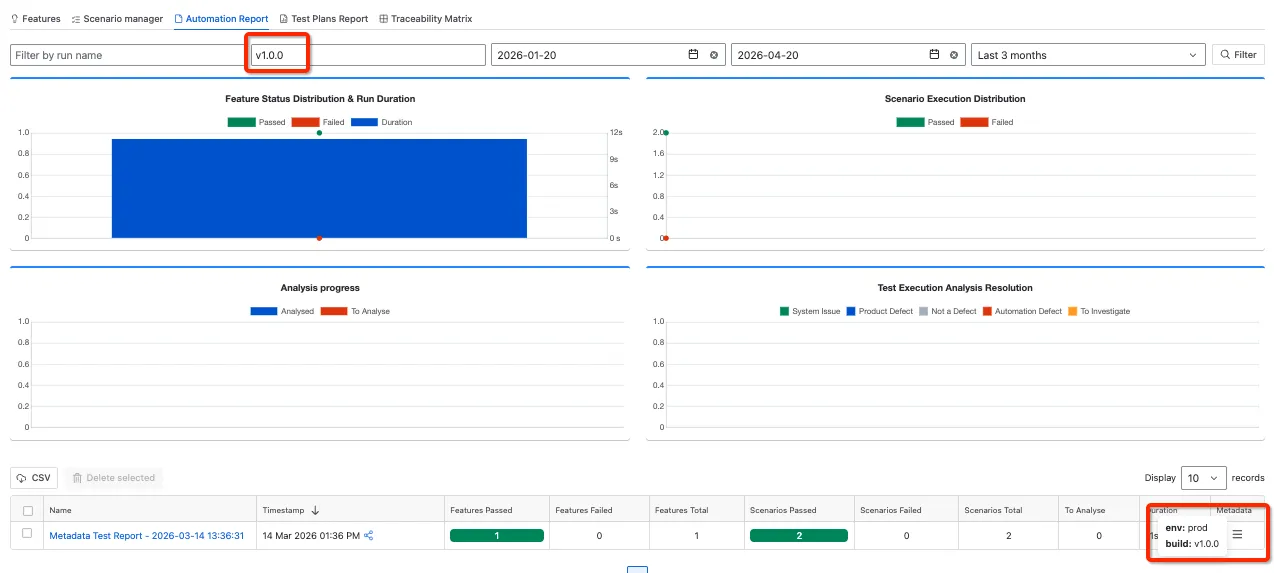
The example below shows the metadata filter:
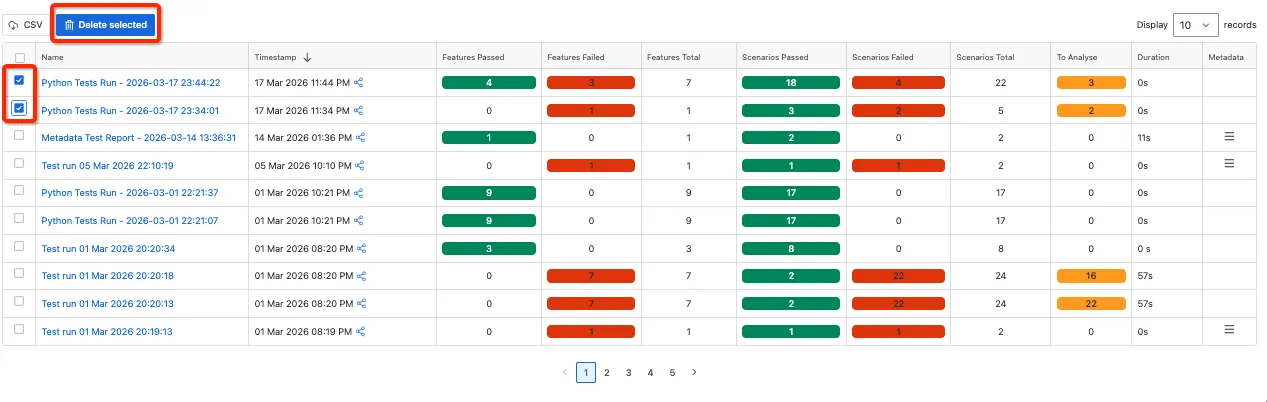
Step 2: Delete Test Runs - select the runs and click the Delete button
Step 3: Share test run details
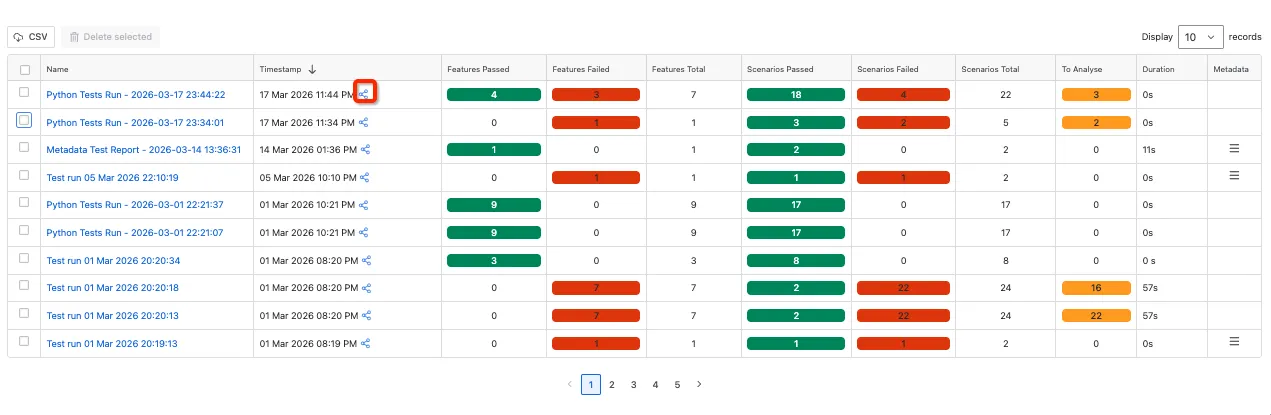
Step 4: Download CSV - note download includes Test Runs displayed in the current filter and view. To download more records change the number of records in the display drop down: