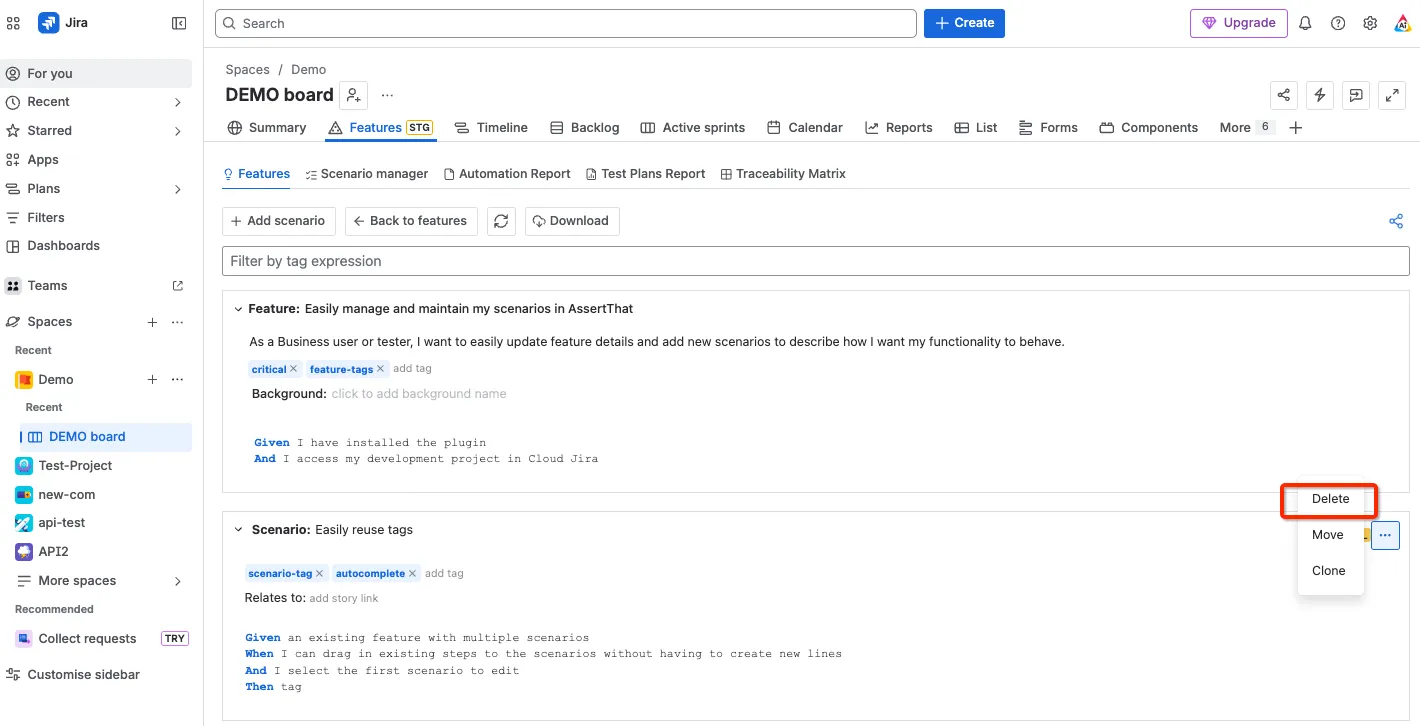

Delete Features and Scenarios
From the Features menu, it is possible to individually delete Features and Scenarios. Please note that it is also possible to delete newly created Scenarios on Issue View Unlink and Delete Scenarios on Issue View
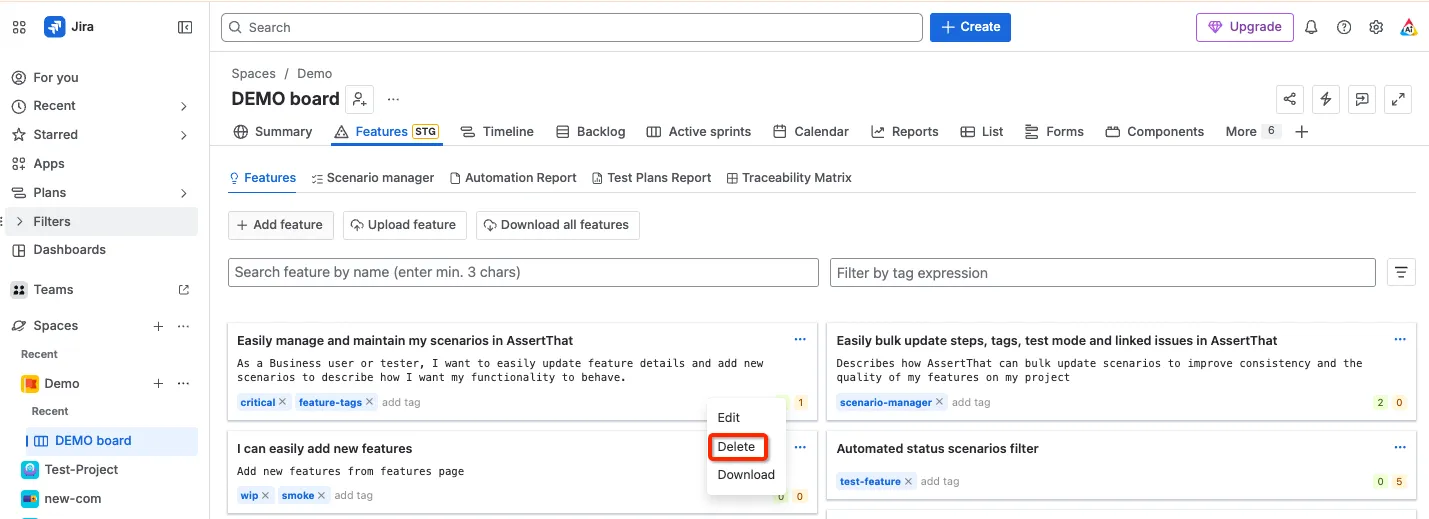
Delete Features
Section titled “Delete Features”Step 1: Access Features menu
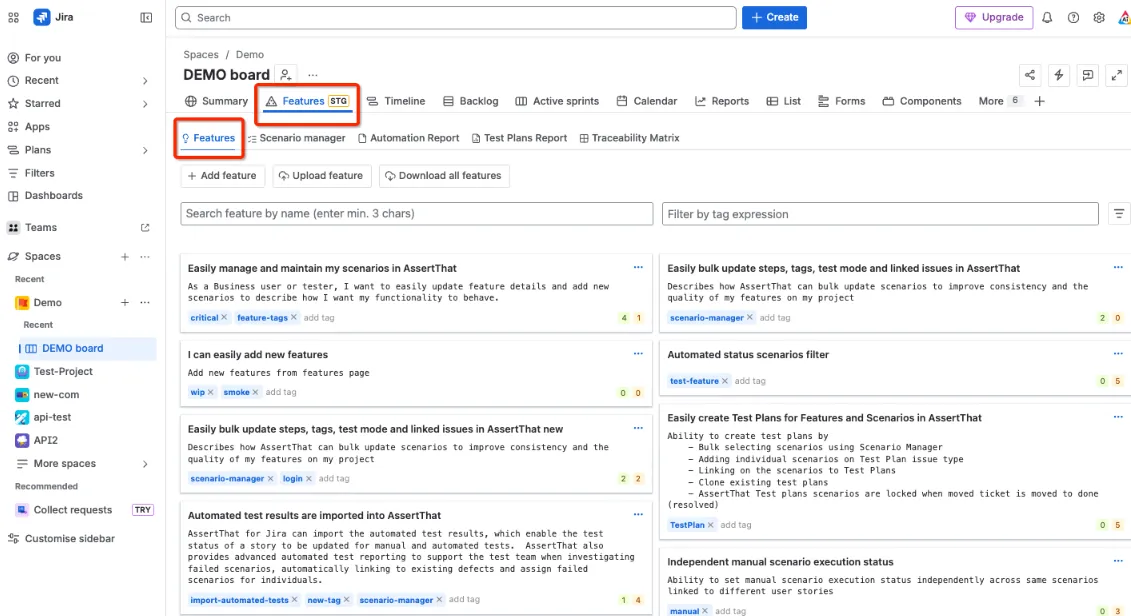
Step 2: Delete Feature from the drop down option
Delete Scenarios
Section titled “Delete Scenarios”Individual Scenarios can be deleted from within Features
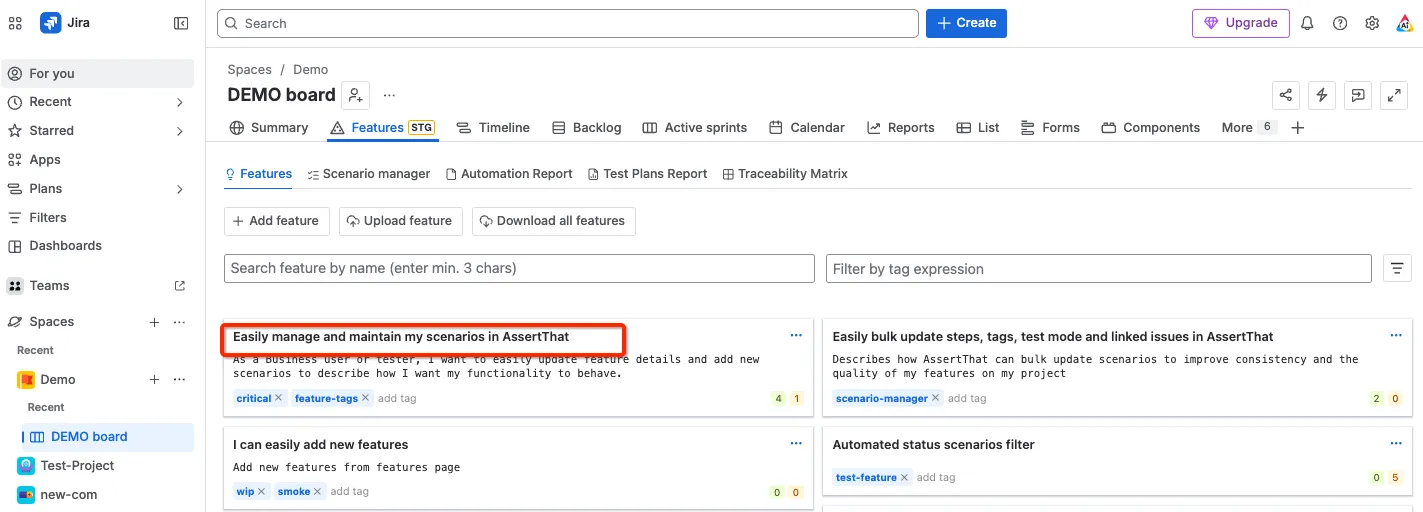
Step 1: Select the Feature by clicking on the Feature title
Step 2: Delete Scenarios from the drop down option