

Create new Features
New features are created from the Features menu.
Step 1: Access the AssertThat Features menu
Section titled “Step 1: Access the AssertThat Features menu”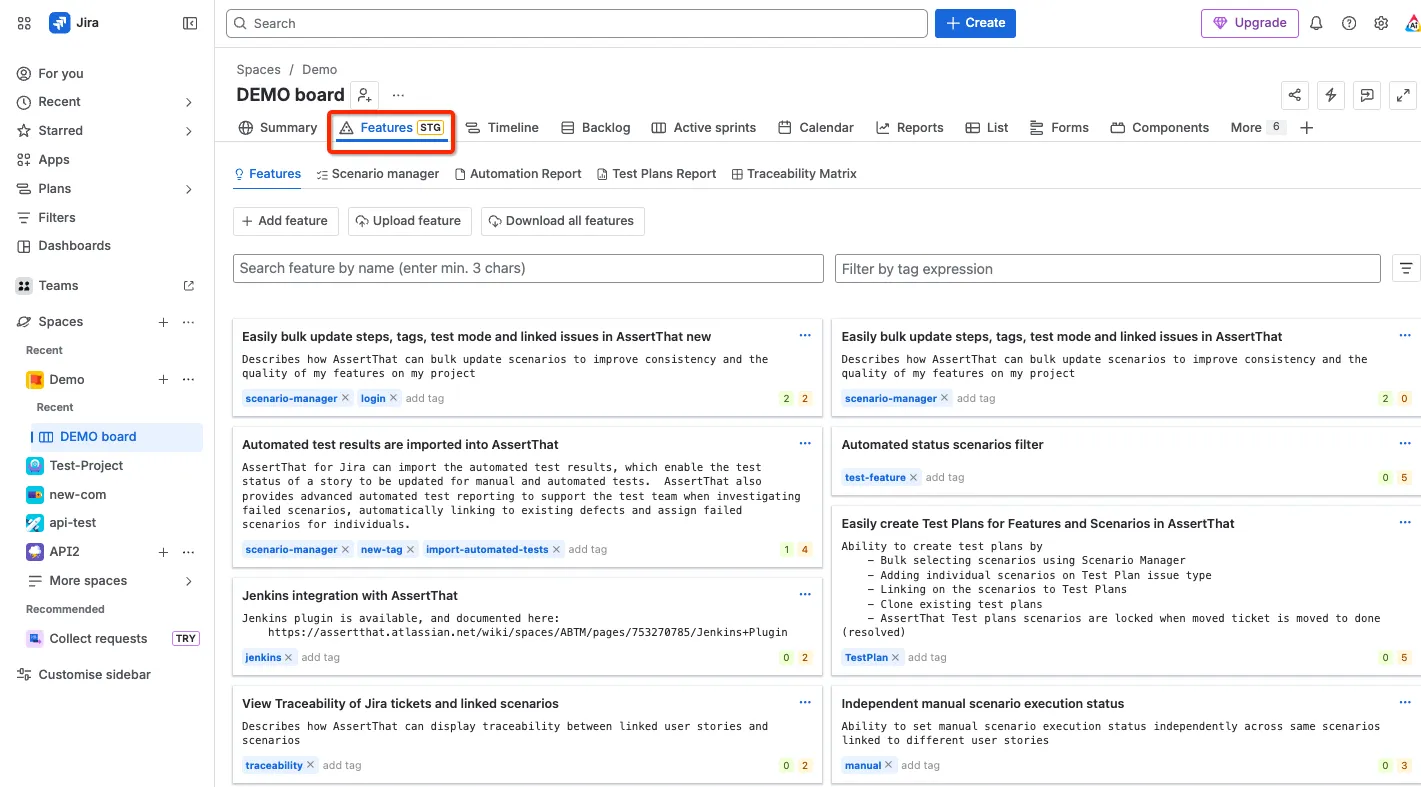
Step 2: Select Add Feature
Section titled “Step 2: Select Add Feature”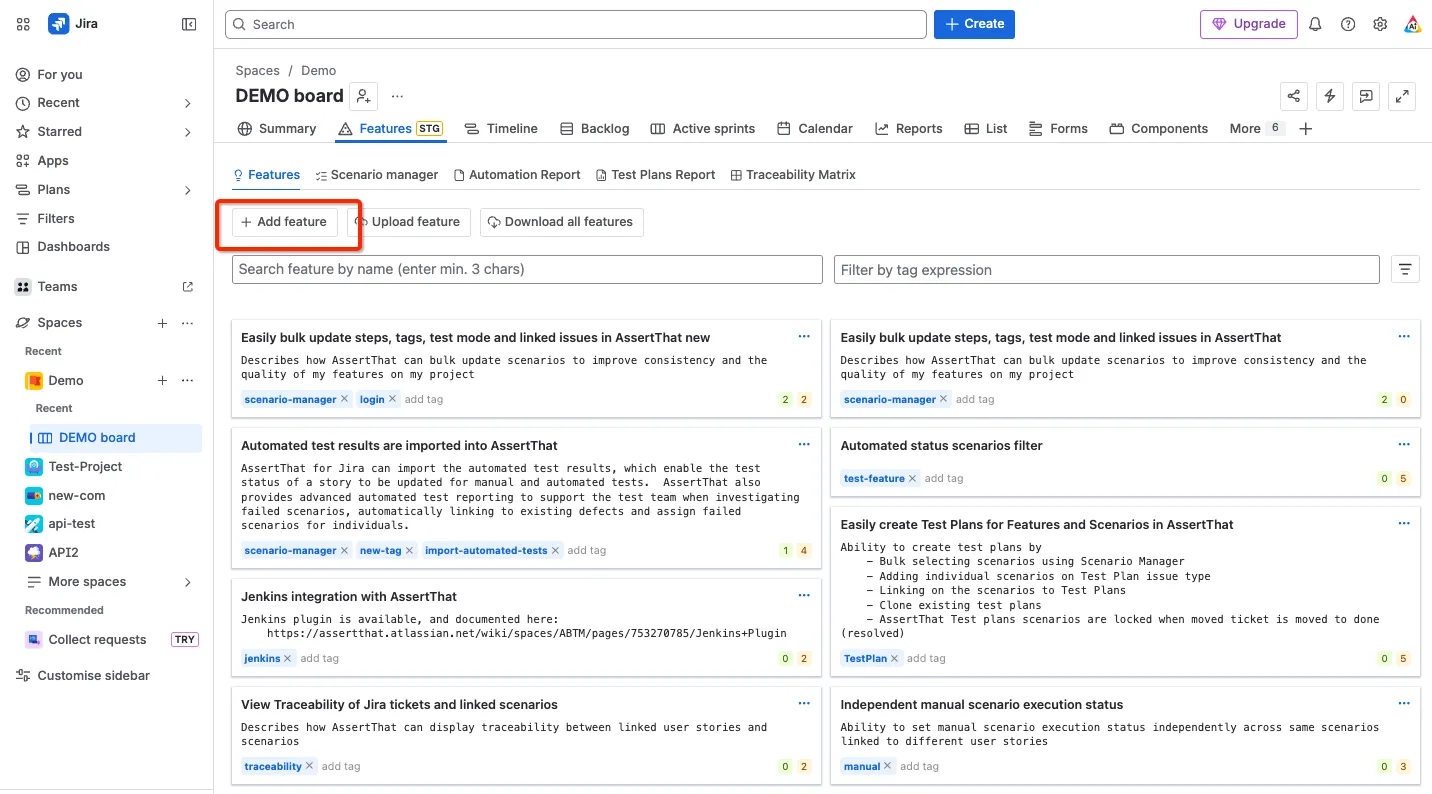
Step 3: Add a unique Feature Name (mandatory), Description and select Save
Section titled “Step 3: Add a unique Feature Name (mandatory), Description and select Save”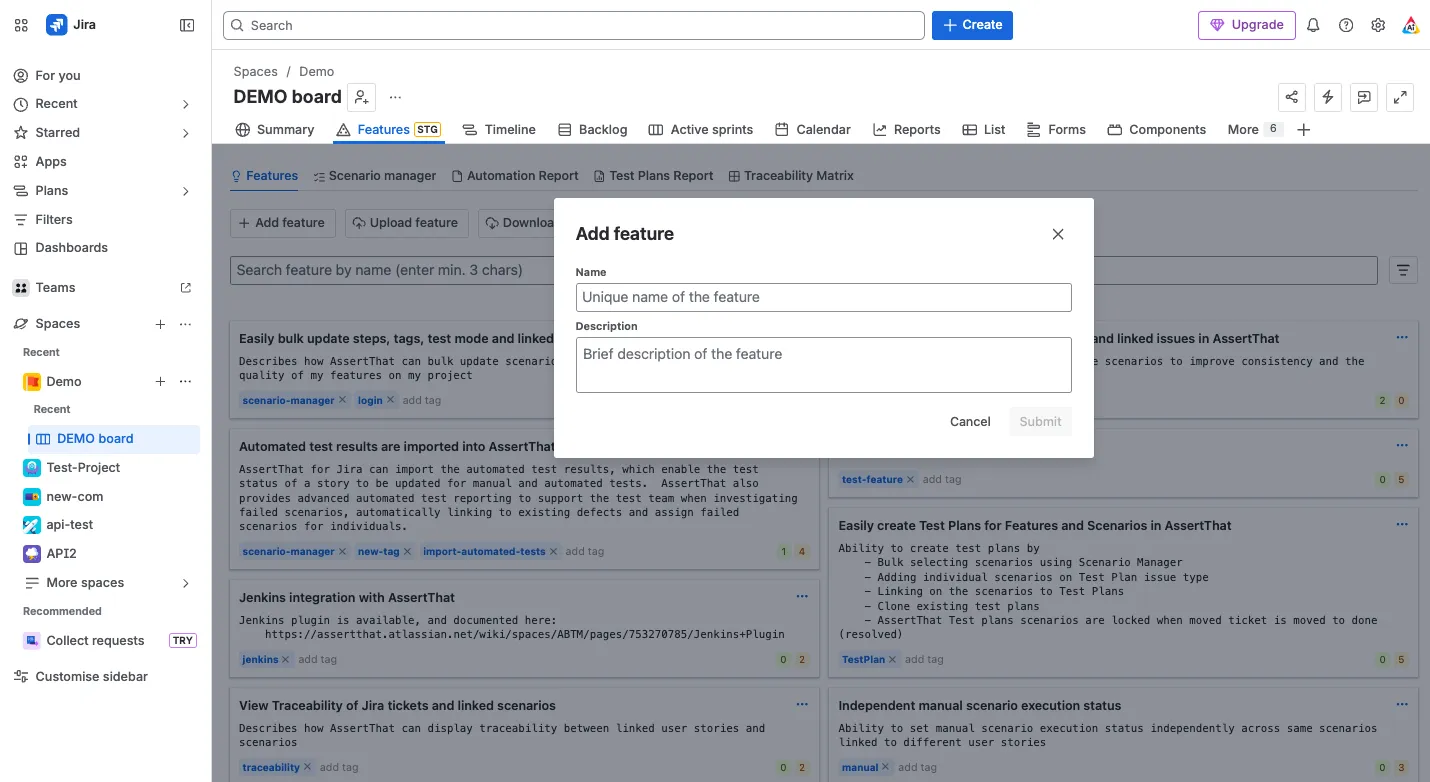
Step 4: Select the new feature from the Features, and complete the additional information (which are all non mandatory fields) including Tags, Background name, and Background.
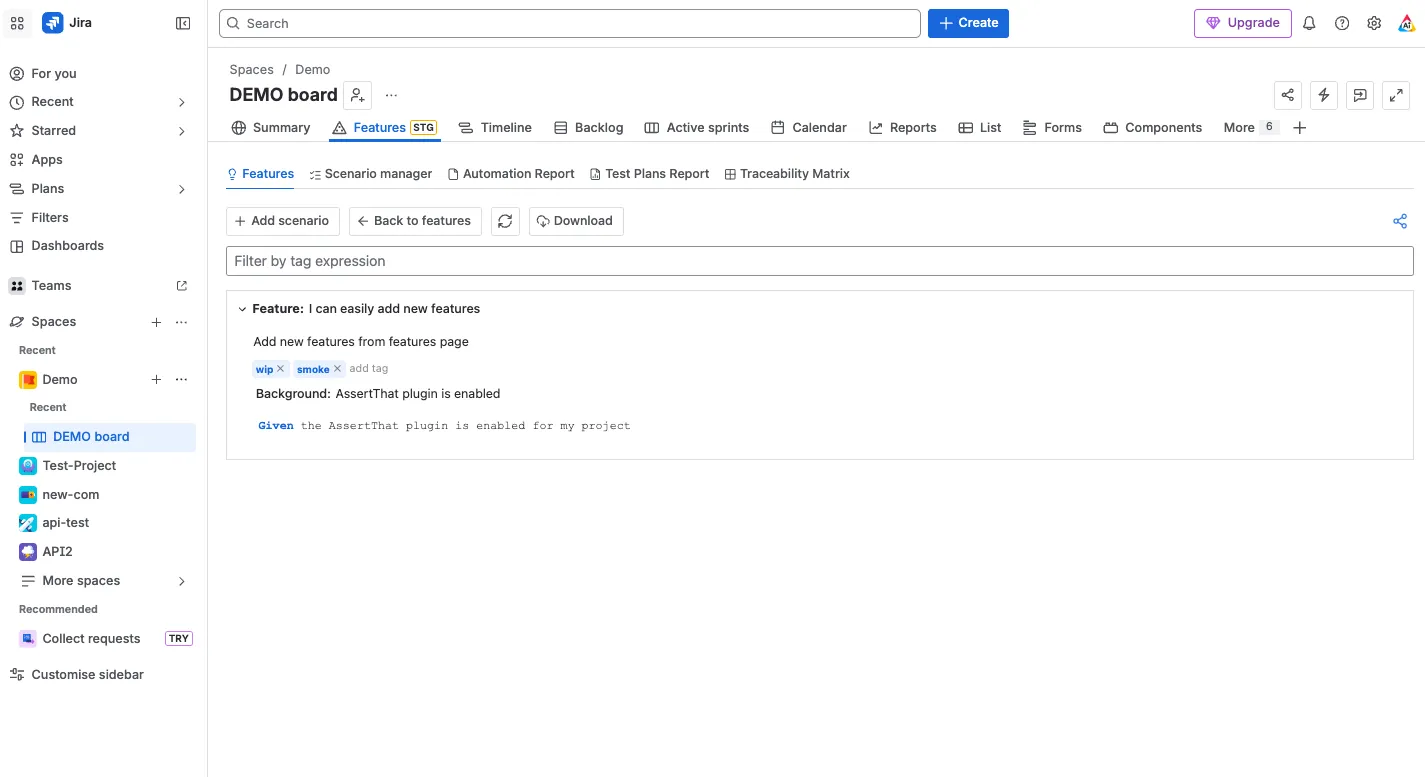
Notes:
Section titled “Notes:”-
Steps can be reused from other scenarios by typing 3 characters of the step e.g. “Given the”. Type ahead search will display all available steps matching the details.
-
Further information on step autocomplete, Formatting Scenarios and adding Comment steps.