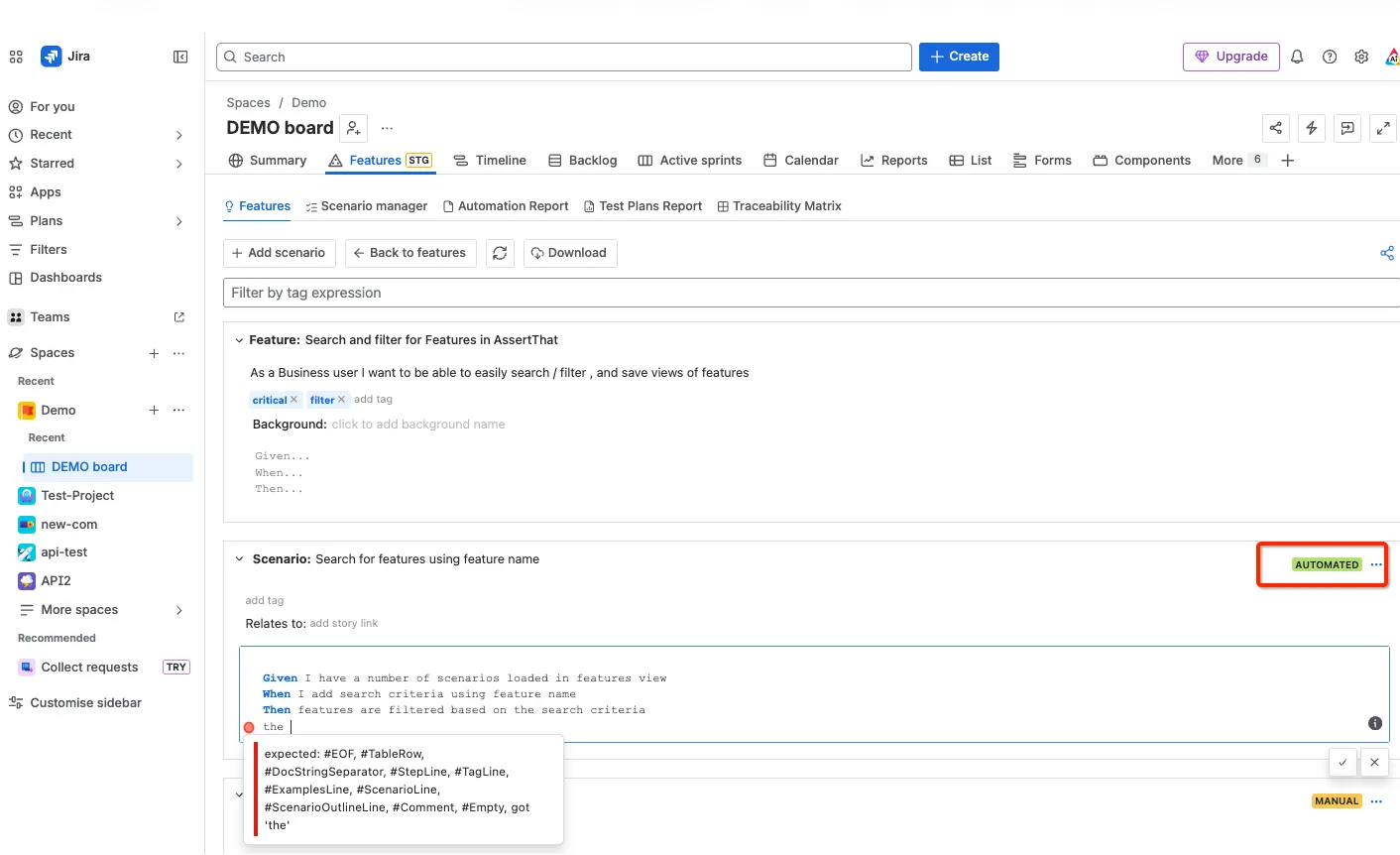

Syntax Validation
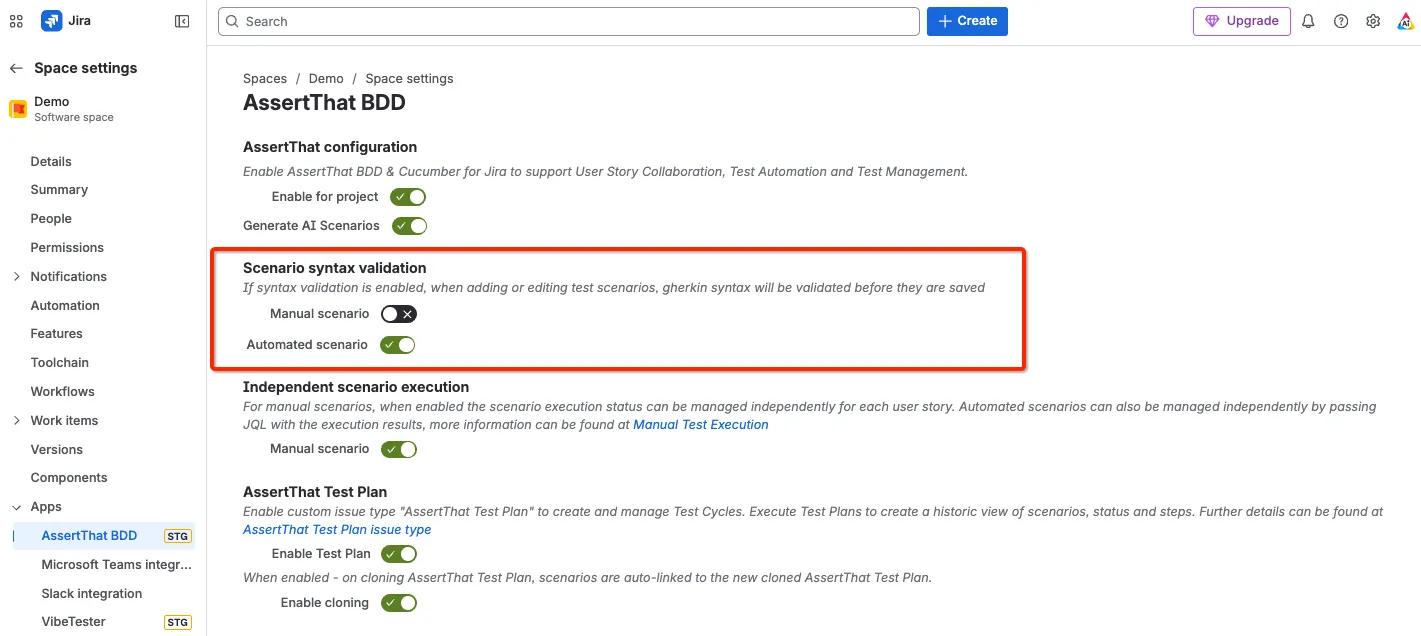
Step 1: Navigate to the Space Settings and then select AssertThat BDD.
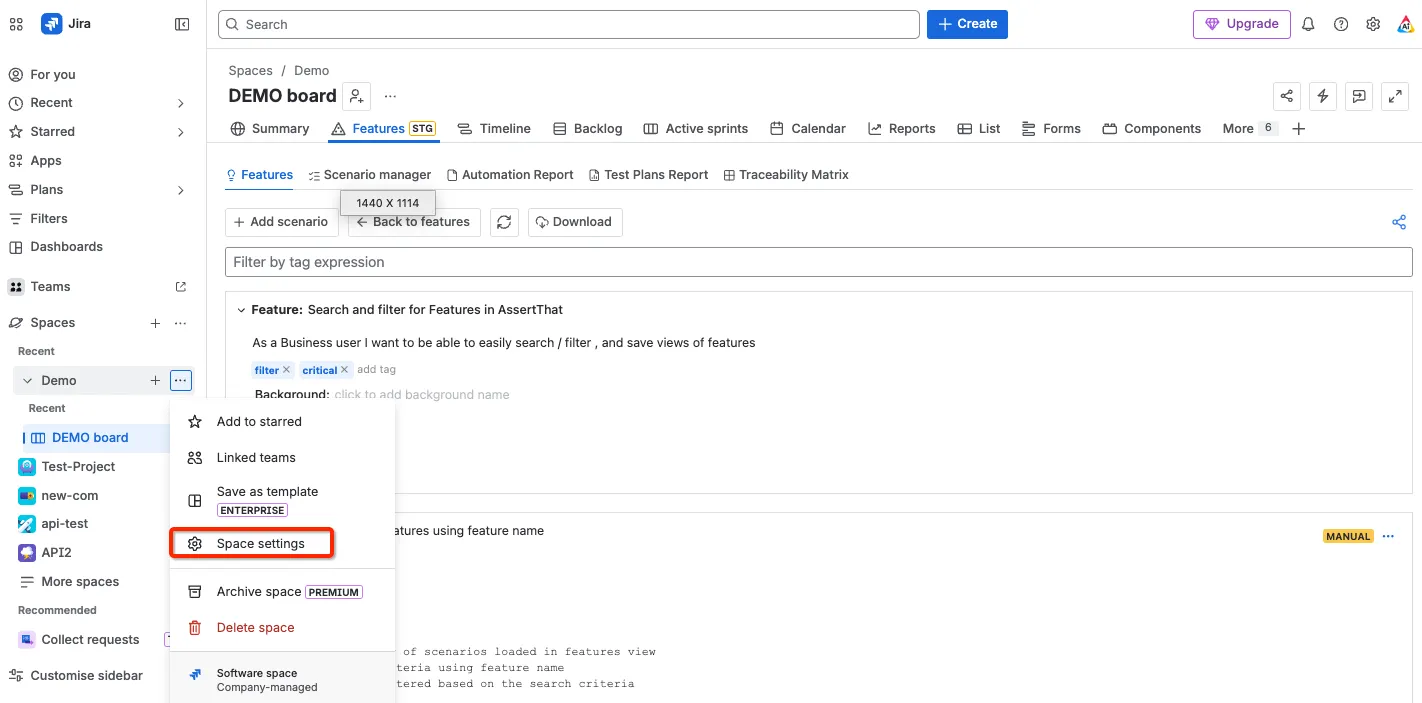
Within the configuration menu are 2 toggles to switch on syntax validation for manual tests and for automated tests. We recommend switching on the syntax validation for Automated tests as a minimum. This will ensure that when you download BDD scenarios to your test automation frameworks they won’t error due to syntax issues.
Step 2: Access the features menu.
Step 3: Select the Feature you would like to add the new Scenario to by clicking on the Scenario title. Set the mode to Automated.
Step 4: Syntax validation is enabled to ensure steps start with Given, When and Then.