

Create new Scenarios
Add new BDD scenarios in AssertThat BDD Plugin
Section titled “Add new BDD scenarios in AssertThat BDD Plugin”In this page we will detail how to add new scenarios from the Features menu. Note that New Features and Scenarios can be added from Issue View.
Add new scenarios from BDD Features pages
Section titled “Add new scenarios from BDD Features pages”Step 1: Access the features menu.
Step 2: Click on the Feature title to select the Scenario you would like to add the new Scenario to, by clicking on the Scenario title.
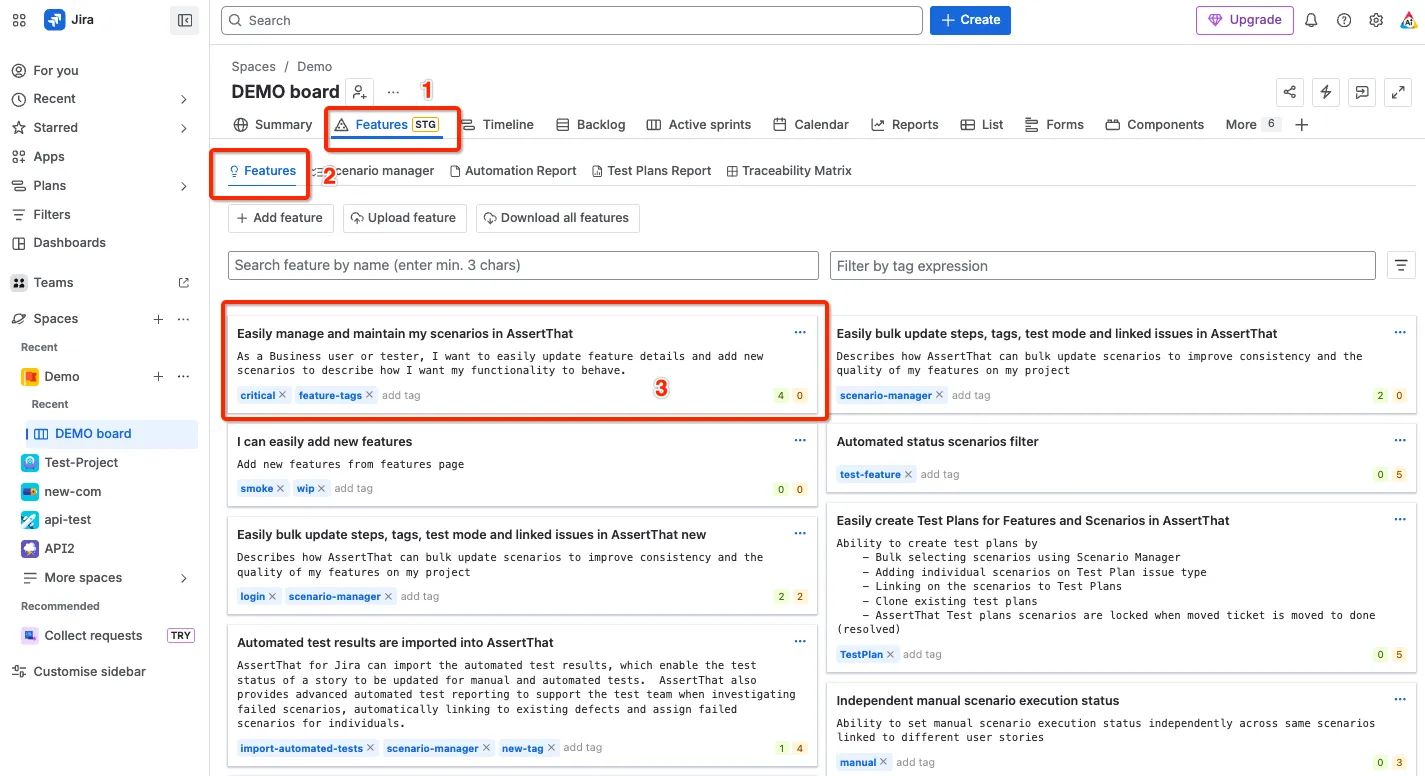
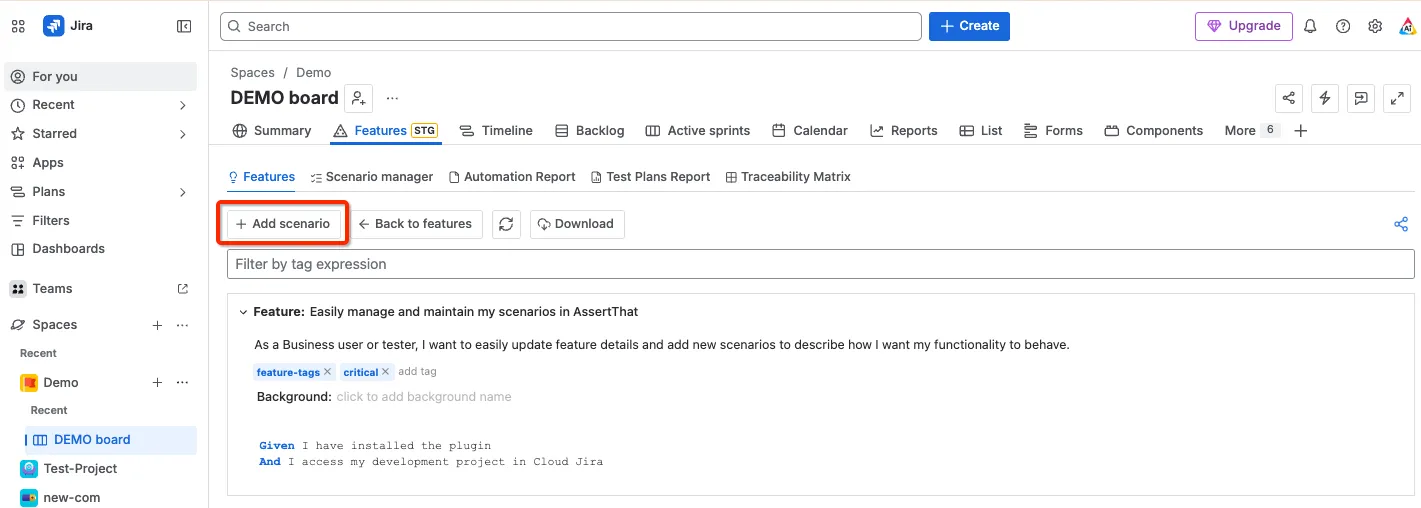
Step 3: Select the Add scenario button from the menu.
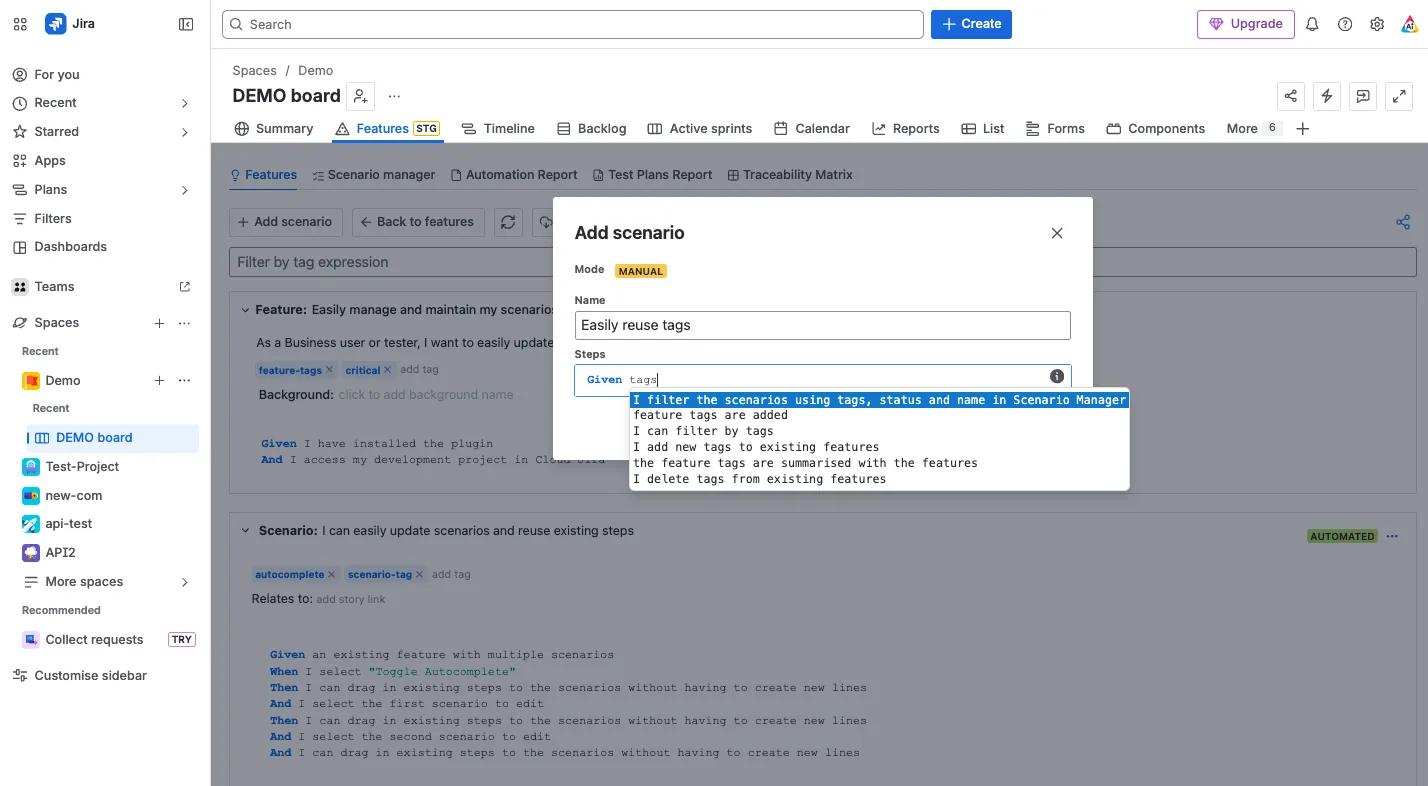
Step 4: Complete Scenario Name (mandatory). The scenario steps can be added now or at a later stage. The Mode is set to Manual or Automated. This setting is used by the plugin to determine if the scenario will be downloaded for Integration with Test Automation Frameworks. AssertThat - BDD & Cucumber for Jira supports Scenario Examples syntax.
(Tip: As you type suggested steps will be listed so you can reuse existing steps)
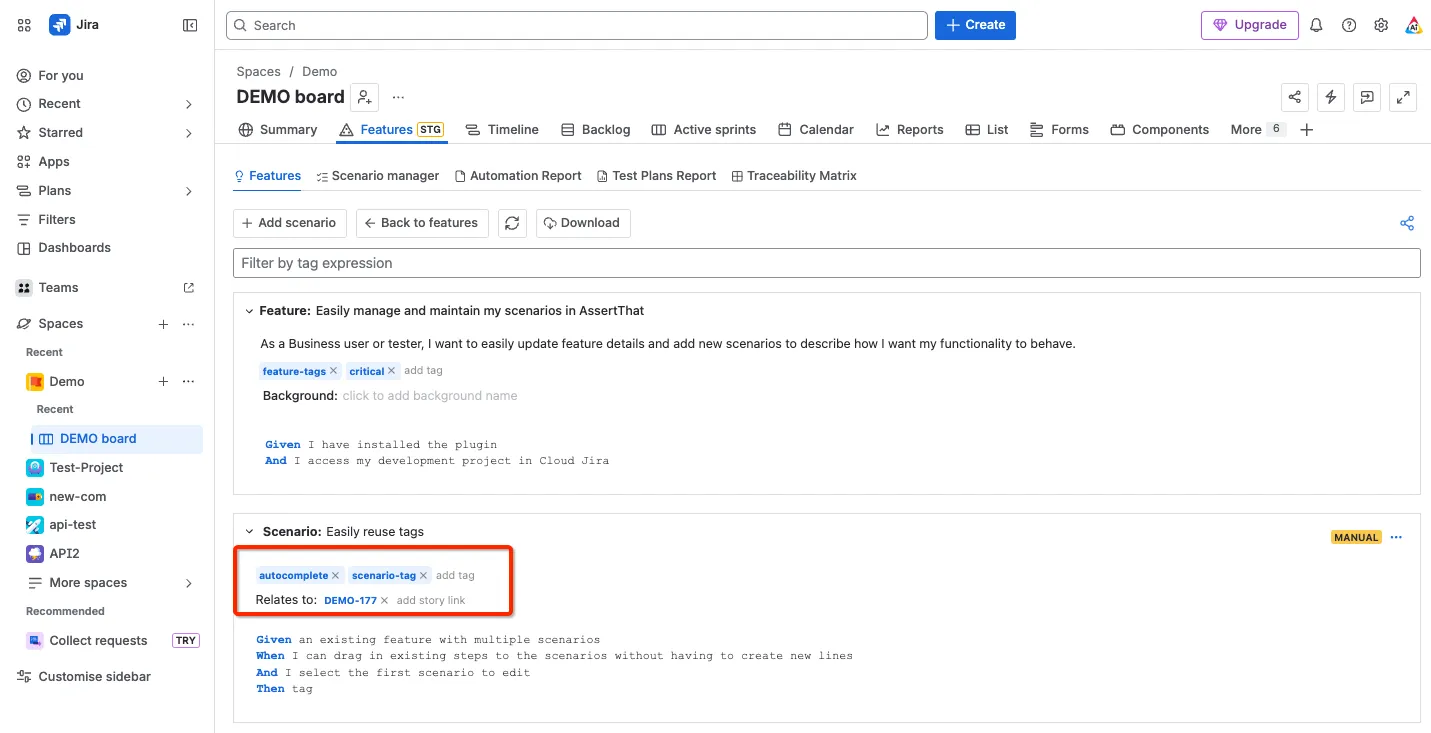
Step 5 - Enrich scenario with tags, and links to user stories.
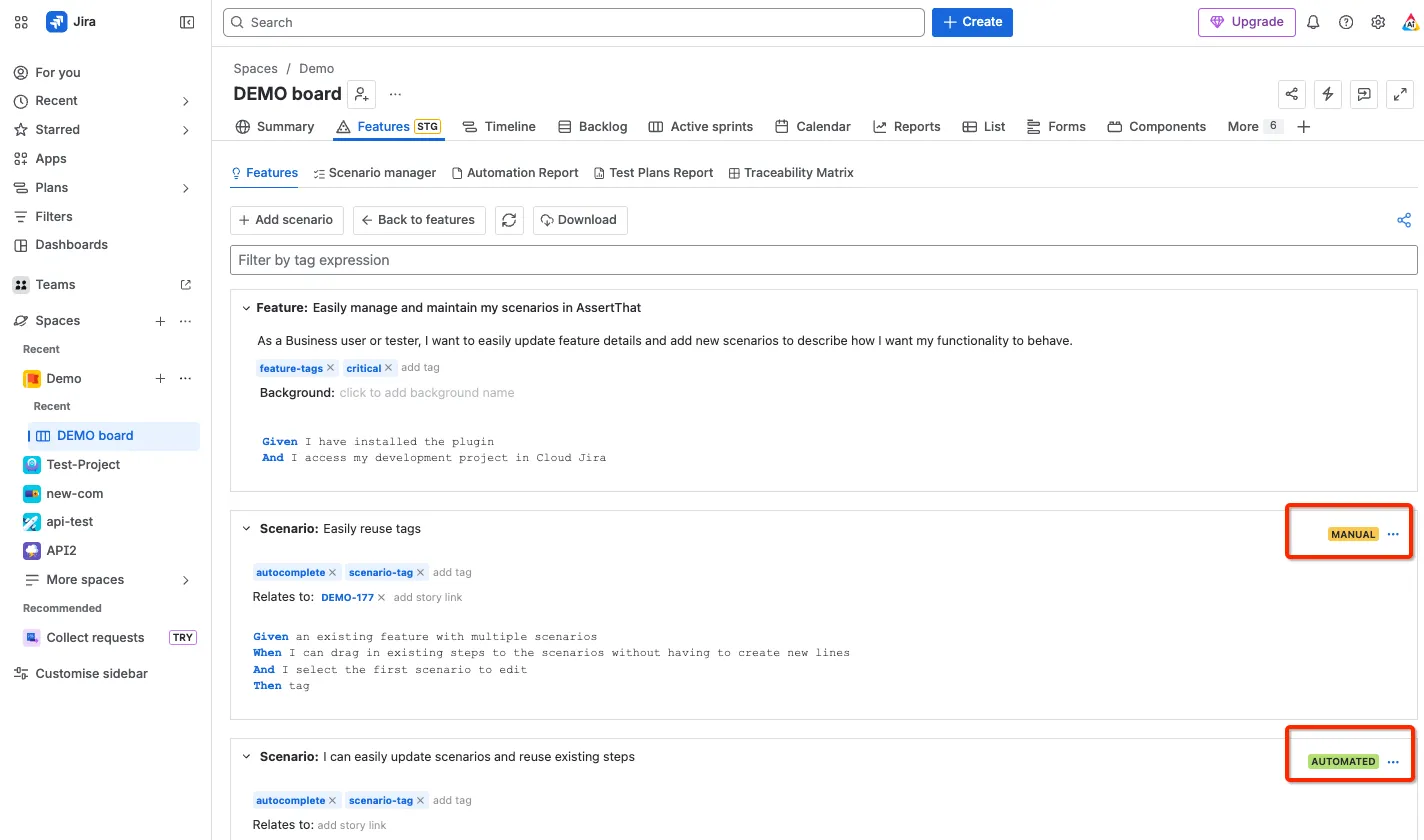
Step 6 - Set the status of the scenario to Manual or Automated. Note it’s also possible to change the status of a scenario on Issue View and Scenario Manager.
\