
AssertThat: Override option feature on import
New override option simplifies how feature files can be updated in AssertThat's BDD, Cucumber & Test Management plugin for Jira
New override option simplifies how feature files can be updated in AssertThat’s BDD, Cucumber & Test Management plugin for Jira
Based on feedback from clients we have simplified the process to update features held in AssertThat’s BDD, Cucumber & Test Managmenet plugin for Jira. When importing features into the plugin, the override feature will match against the feature name, and then automatically delete and load the new feature and scenario details.
This will be a great time-saver when updating multiple features held in the AssertThat plugin.
The override option can be found on the below popup and features can be dragged and dropped or imported from a directory:
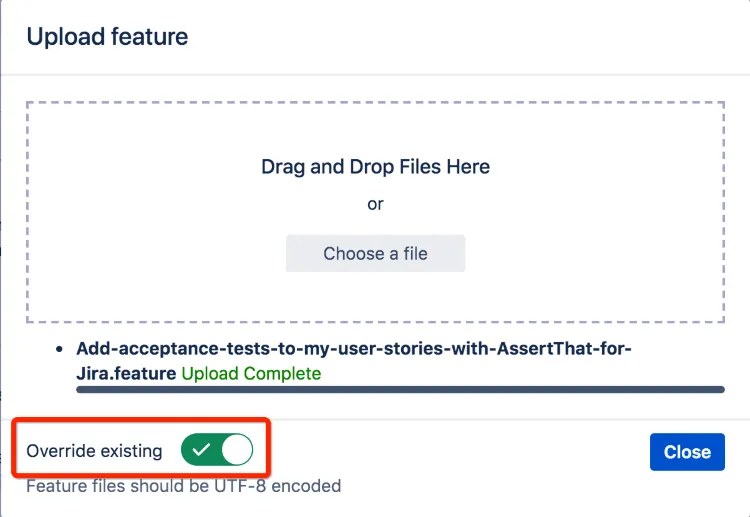
Introducing the new override option in AssertThat’s BDD & Cucumber plugin for Jira – update your feature files with ease! A true time-saver for managing and updating multiple features efficiently. #JiraPluginUpdate #EfficientFeatures
If you would like a free demo or trial then please get in contact with us at support@assertthat.com or a Try it for free – AssertThat BDD & Cucumber for Jira