
BDD Test Management for Jira: Complete Features Overview
Bring Behaviour-Driven Development into Jira with an integrated workflow for writing, managing, and automating Gherkin scenarios. AssertThat provides a complete BDD test management solution for Jira teams working across Agile, DevOps, and automation
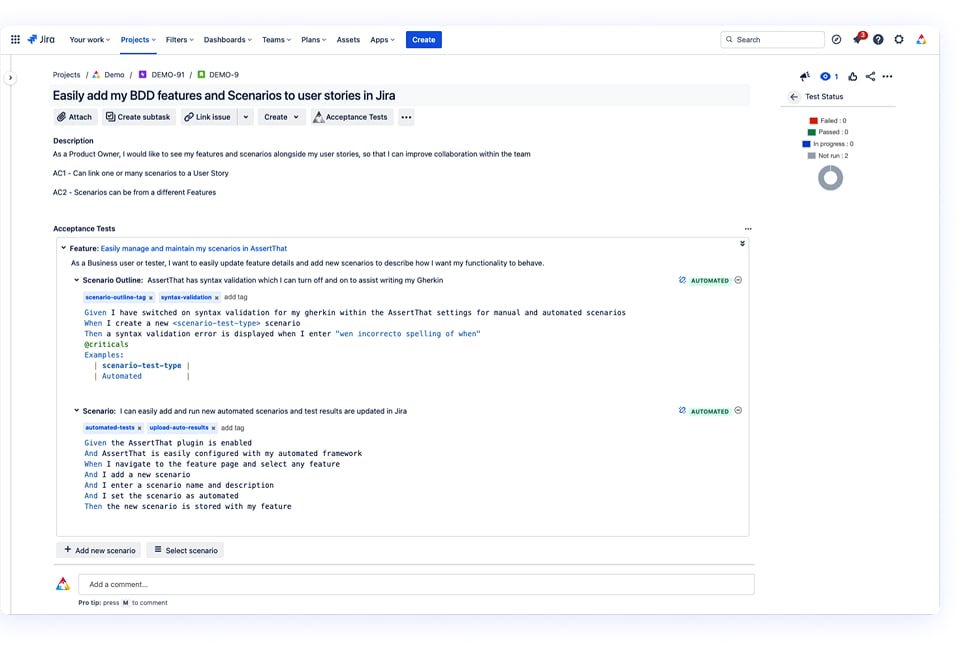
Create clear, consistent BDD scenarios directly inside Jira using our intuitive Gherkin editor. AssertThat helps teams capture behaviour accurately from the start, ensuring user stories are well understood and ready for development.
Key features:
-
Write Feature files, Backgrounds, Rules and Scenario Outlines
-
Collaborate across product, QA and development
-
Keep acceptance criteria aligned with real user behaviour
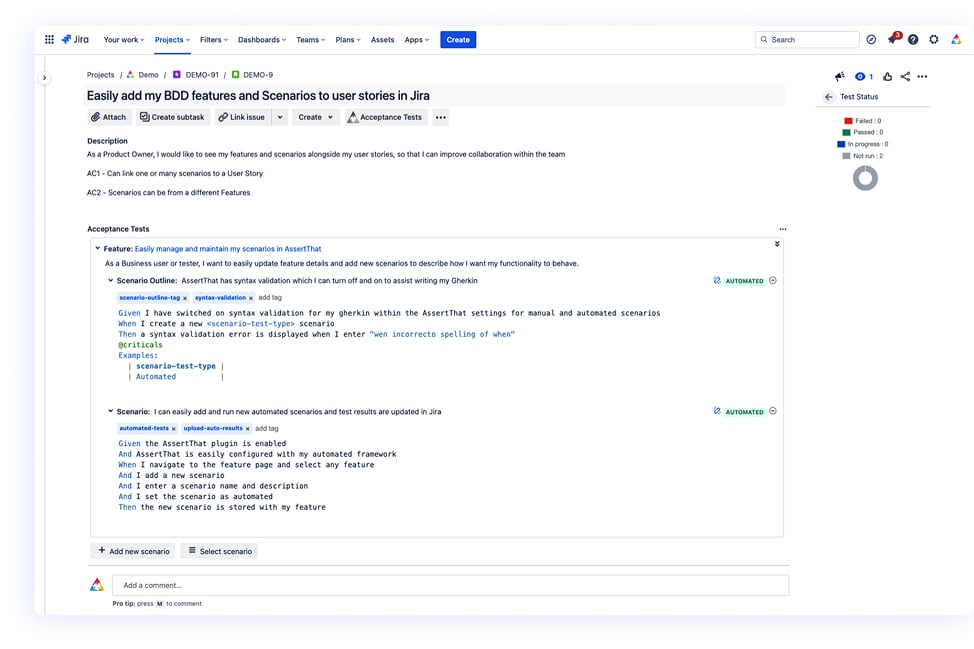
Coordinate your entire BDD process without leaving Jira. AssertThat brings discovery, formulation, development, validation and feedback into one shared workspace, reducing ambiguity and improving team communication
Centralise discussions and scenarios
Keep contexts consistent across projects
Ensure every story has clear behavioural intent
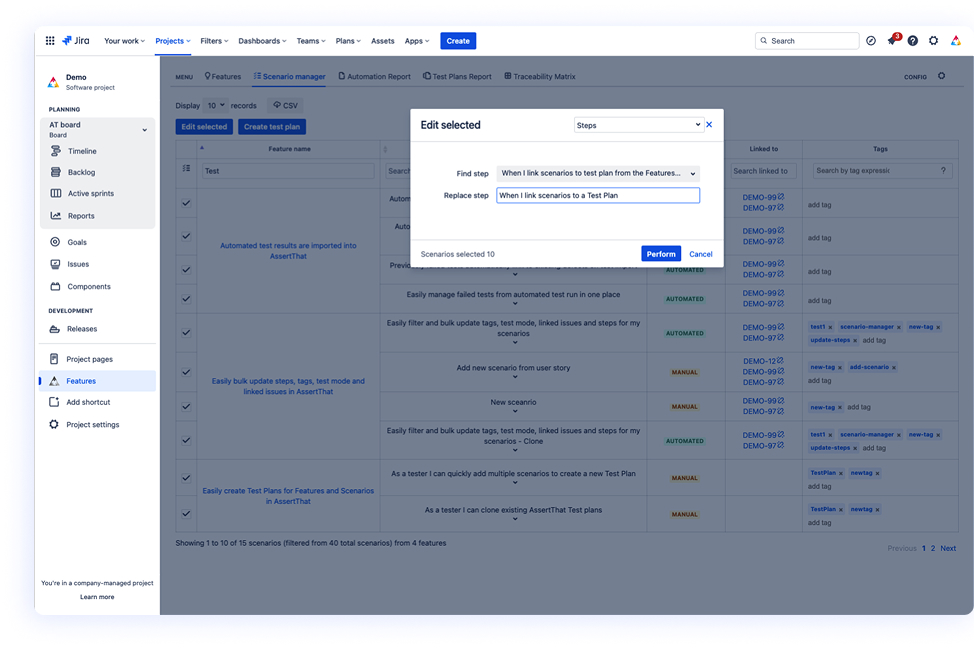
Manage and update BDD scenarios at scale with ease. The Scenario Manager allows you to filter, select and bulk-edit large sets of scenarios, helping teams stay efficient during refinement or release preparation.
Update steps, execution mode, tags and links in bulk
Quickly maintain consistency across multiple features
Create structured Test Plans directly from selected scenarios
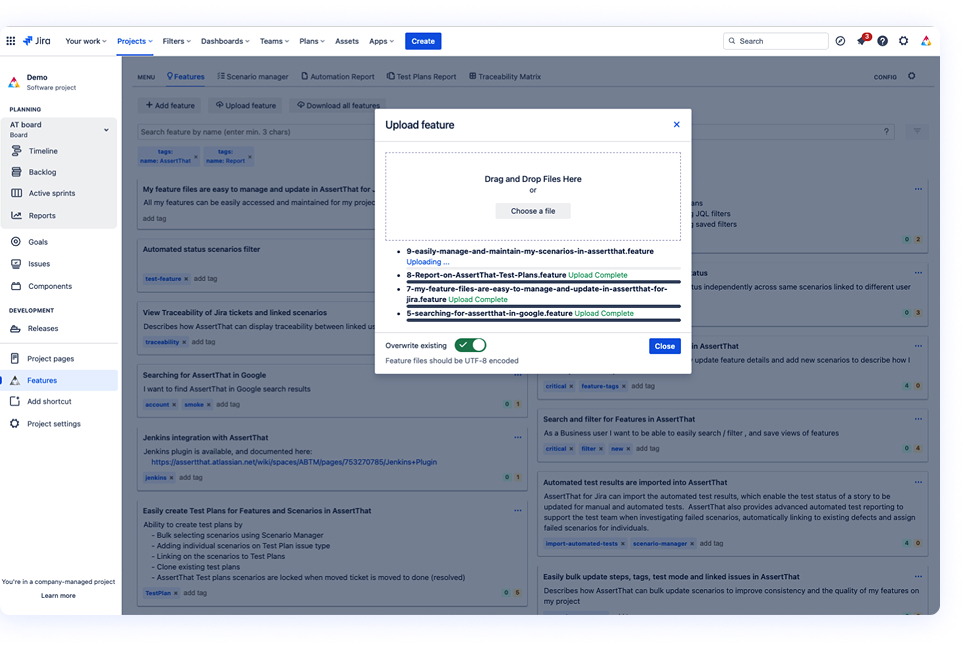
Moving to AssertThat is straightforward, whether you’re switching tools or consolidating projects. Import BDD scenarios and feature files directly into Jira with minimal effort.
Upload existing feature files
Import via custom APIs for automated migrations
Preserve structure, tags and formatting during import
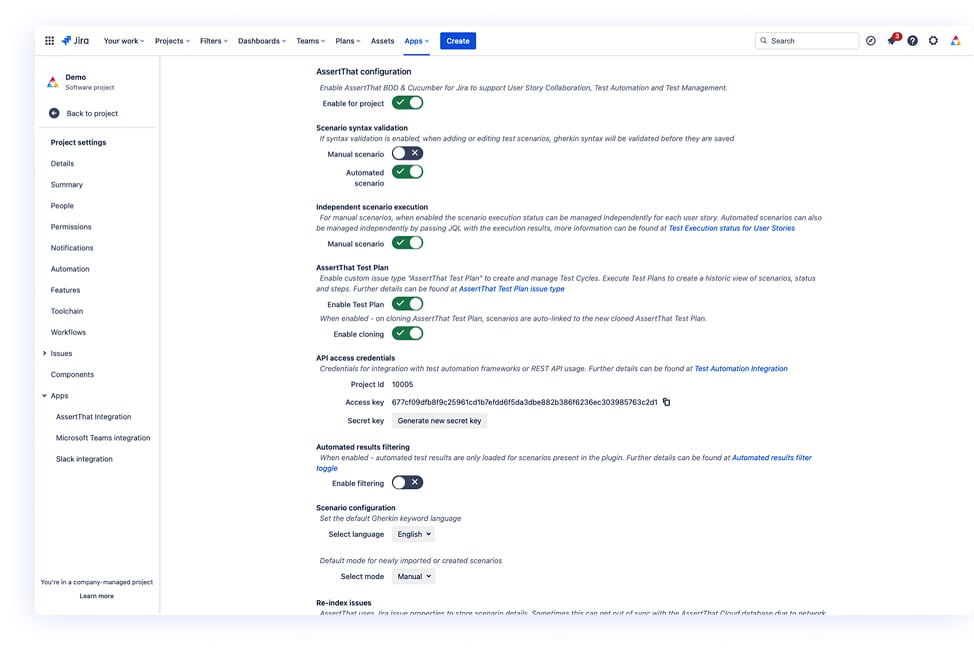
Standardise BDD workflows across all Jira projects to match your organisation’s processes. AssertThat provides flexible configuration options to help teams work consistently and efficiently.
Enable or disable BDD features per project
Define default behaviours and review flows
Easily adapt to different team needs or methodologies
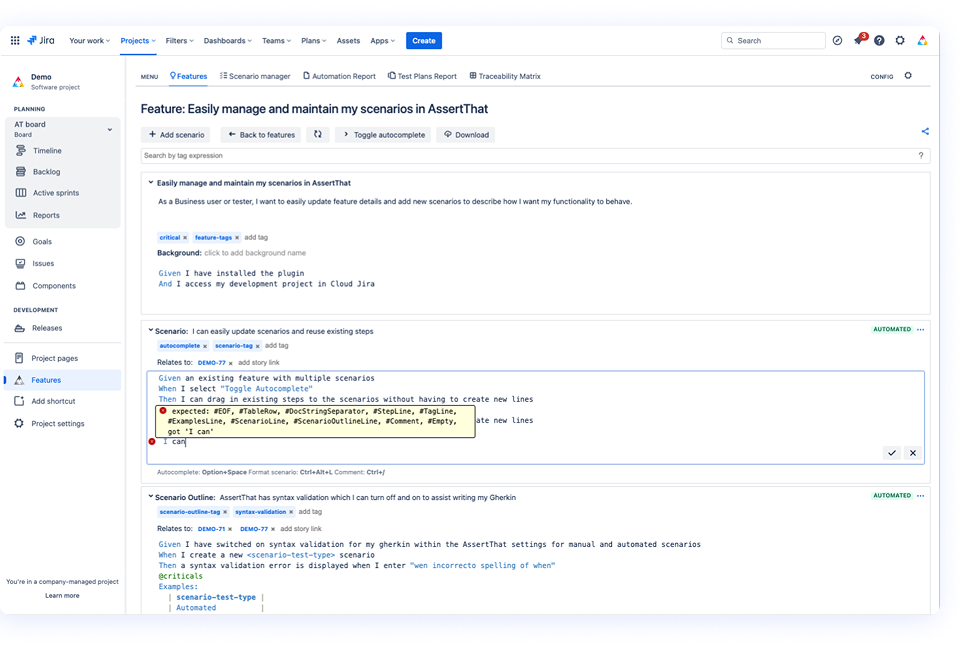
The leading native Gherkin editor for Jira, designed to support fast, accurate and collaborative BDD scenario creation. Key features include:
Real-time syntax validation
-
Step autocomplete for consistent step naming
-
Manual/Automated tagging for test classification
-
Rich support for Feature and Scenario-level tagging
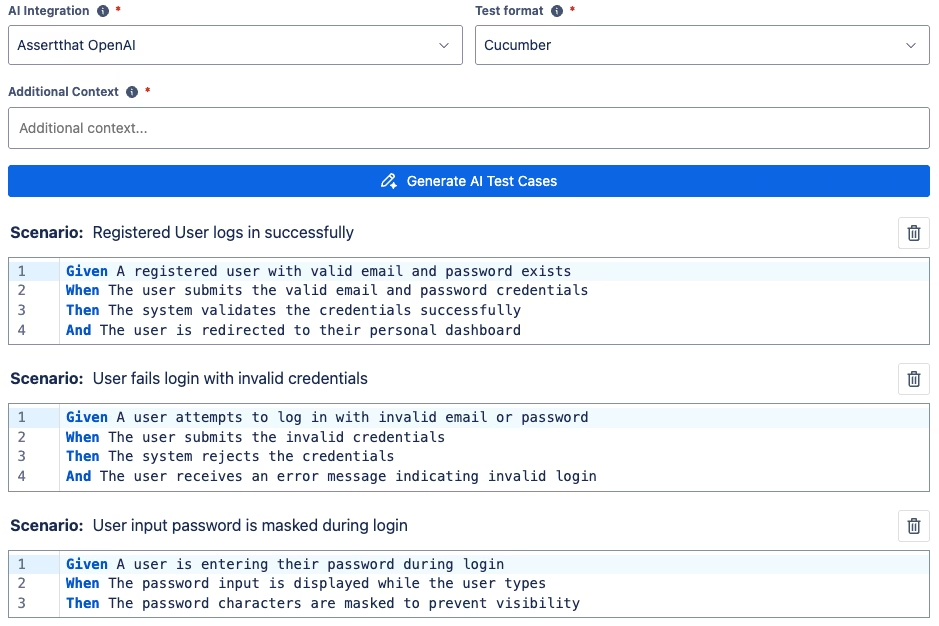
Accelerate test design with AI-generated BDD scenarios directly in Jira. AI creates clear, consistent scenarios from your User Stories, helping teams start faster and maintain high-quality behaviour definitions:
- Generate scenarios instantly
- Improve consistency across teams
- Reduce time spent on repetitive writing
Provide strong starting points for refinement
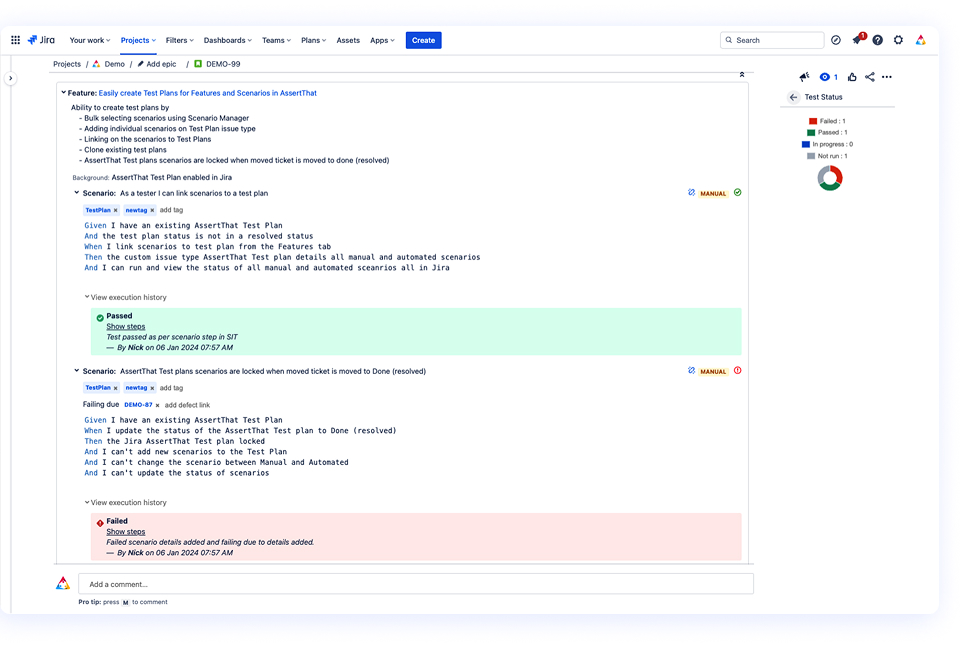
Execute manual BDD scenarios directly within Jira and track outcomes with full visibility. AssertThat allows teams to validate scenarios early and maintain accurate testing records.
- Link scenarios to any Jira issue type or Test Plan
- Capture pass/fail results and execution notes
- Monitor status instantly from the User Story
Connect your Cucumber automation pipeline to AssertThat and view real-time feedback inside Jira. Automated execution results are mapped to the correct scenarios for complete traceability.
- Import results via API
- See execution status on each story or feature
- Maintain alignment between code, tests and documentation
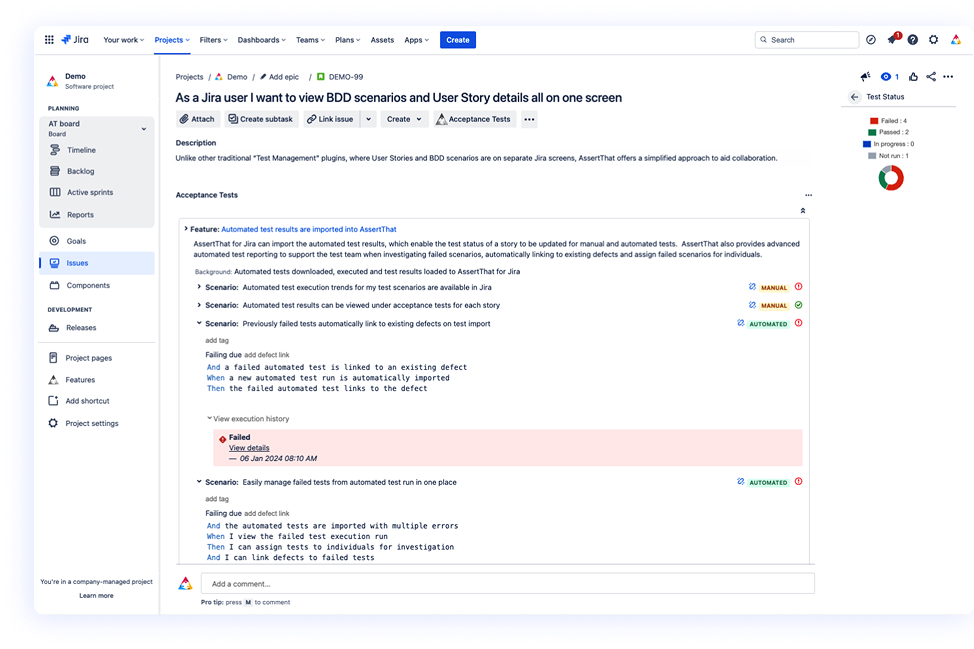
AssertThat integrates seamlessly with your existing automation tooling. Export scenarios for automated execution and import results back into Jira to keep your testing workflow synchronised.
- Works with any CI/CD pipeline
- Two-way API interaction
- Maintain alignment between code, tests and documentation
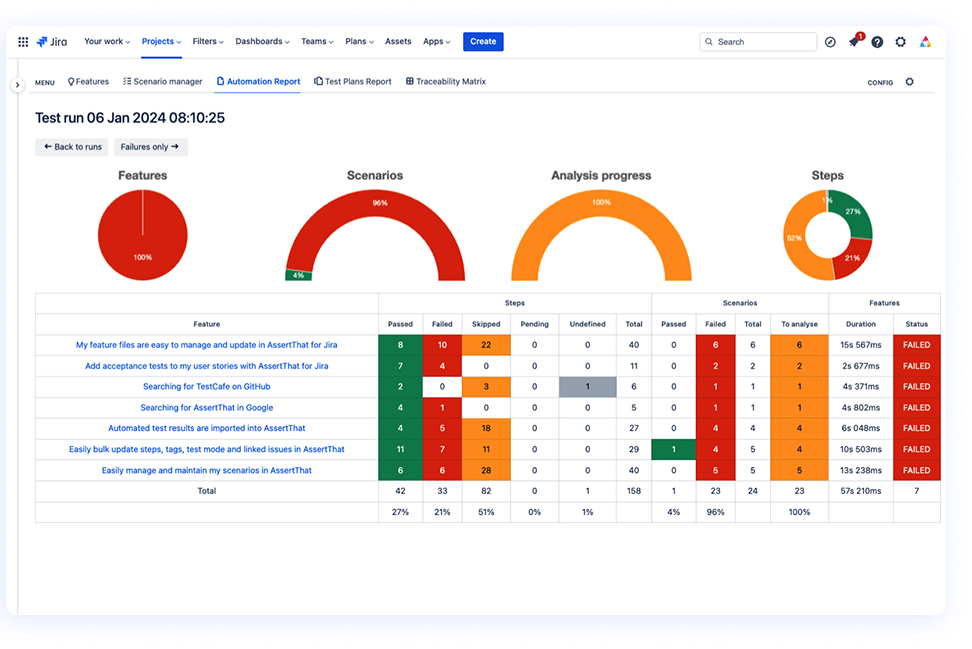
Bring rich automation reporting into Jira with real-time insights. AssertThat helps teams understand trends, identify unstable tests and review executable specifications quickly.
- Explore historical and recent automation results
- Filter by tags, features or status
Assign failed scenarios directly to team members
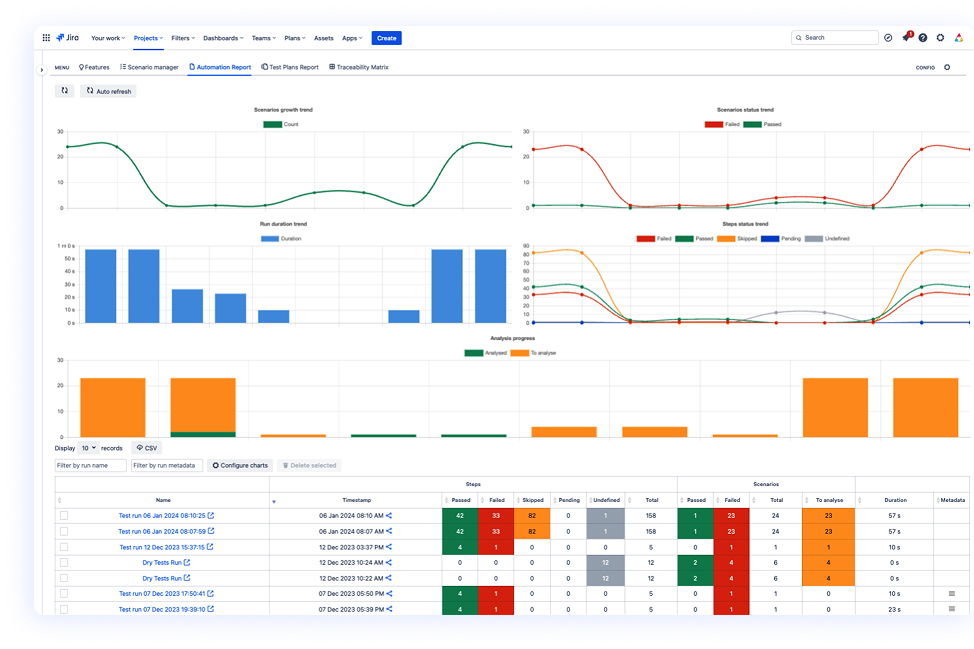
Organise regression and release testing with structured Test Plans. Plan, track and review test executions across multiple phases, ensuring your release process remains controlled.
- Clone Test Plans for reuse across phases
- Lock scenario details against a specific release
- Provide reliable test status across sprints or versions
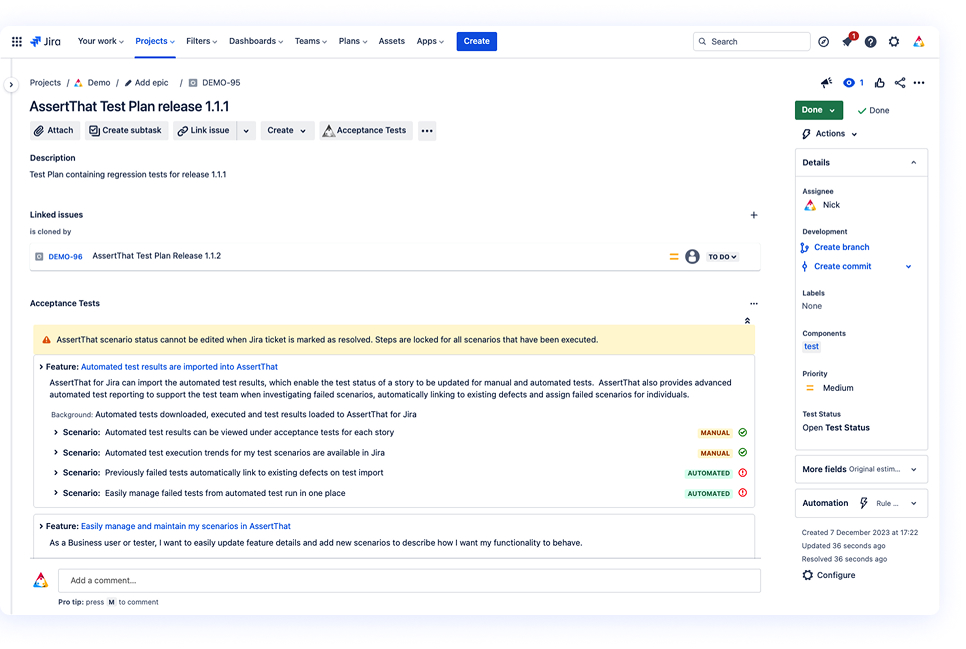
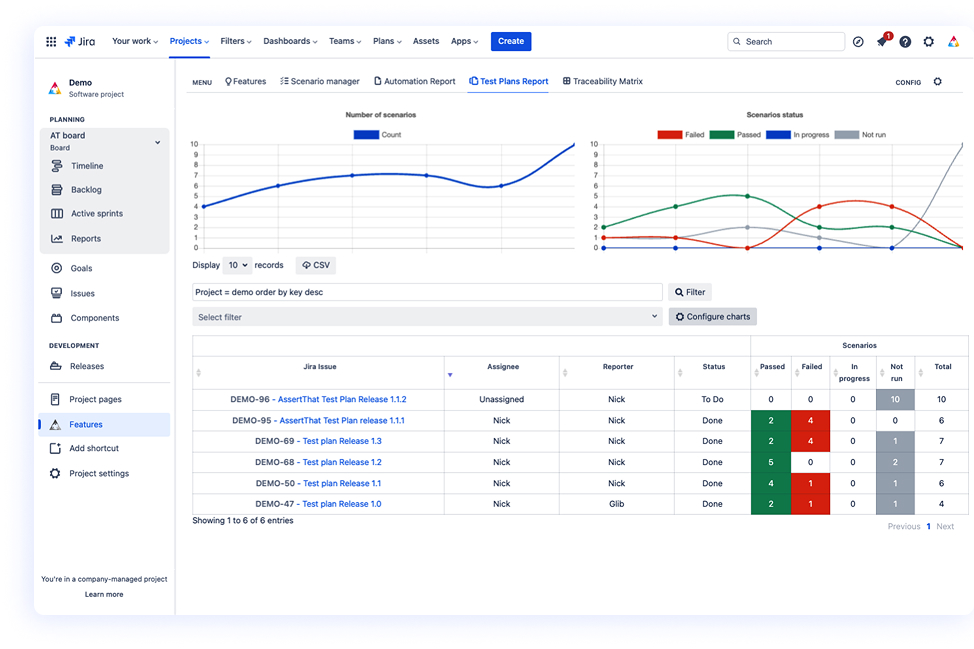
Monitor test progress with detailed Test Plan reporting. Use your preferred filters or JQL to view execution status, identify gaps, and ensure the right scenarios are covered.
- Real-time insights across manual and automated tests
- Trend overviews for better planning
Clear visibility for QA leads and stakeholders
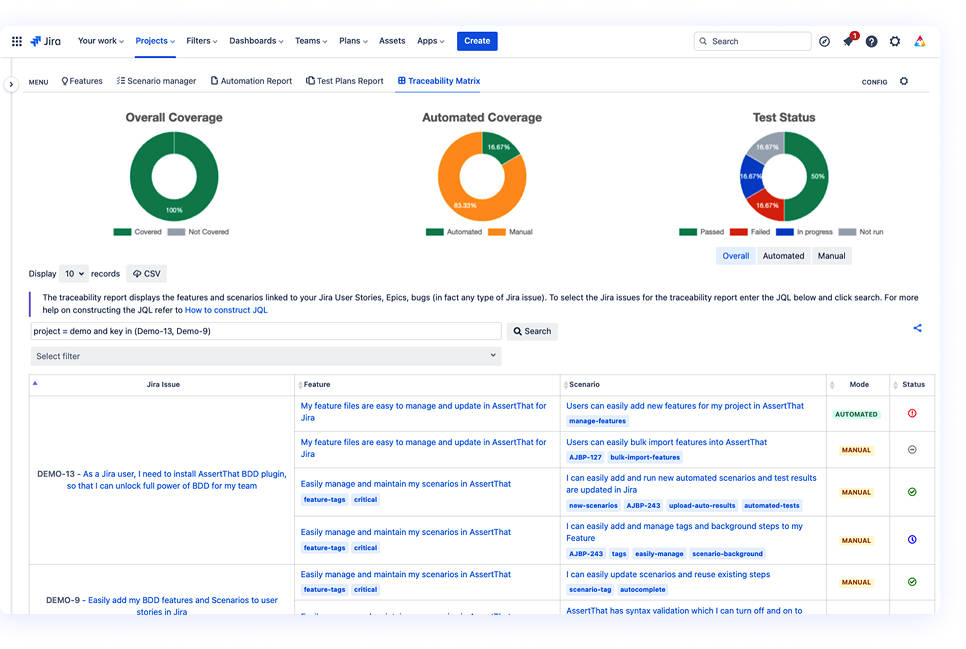
Understand how BDD scenarios map to requirements across your organisation. Interactive charts and dashboards give a complete view of coverage, status and risk.
- View scenario-to-story traceability
- Identify untested or failing behaviours
- Filter by project, feature or release using JQL
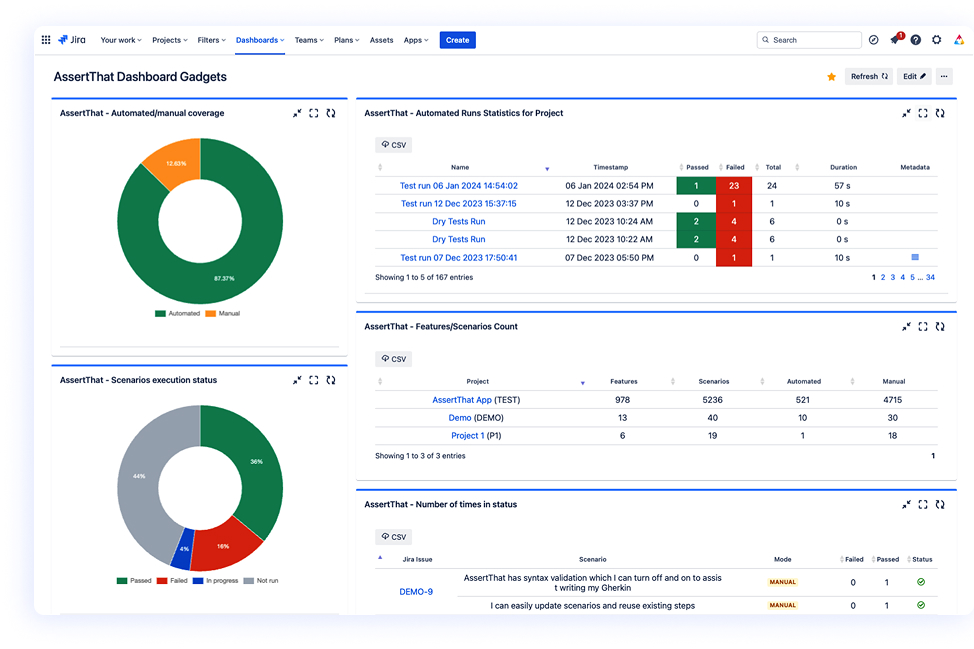
Support large-scale and cross-project teams with enterprise-level reporting. Dashboard Gadgets help you track BDD adoption, execution health and progress across multiple initiatives.
- Organisation-wide insights for leadership
- Analyse coverage, stability and adoption trends
- Highlight bottlenecks and problem scenarios early
BDD test management allows teams to create, manage and execute Behaviour-Driven Development scenarios directly within Jira. AssertThat provides an integrated workflow for writing Gherkin scenarios, linking them to user stories and tracking both manual and automated test results in one place.
Yes. AssertThat includes a native Gherkin editor with syntax highlighting, autocomplete, validation and full support for BDD elements like Features, Backgrounds, Rules and Scenario Outlines. All scenario authoring happens inside Jira with no external tools required.
Yes. You can upload Cucumber JSON results from any CI/CD pipeline. AssertThat links the results back to the correct scenarios and updates the execution status in real time, giving full visibility across automated test runs.
AI-Driven BDD: Using AI to Generate and Refine BDD Scenarios
Our upcoming AI feature will generate high-quality BDD scenarios directly from Jira User Stories or acceptance criteria. It provides clear, consistent starting points so teams can refine scenarios faster and maintain high standards across all projects.
Yes. AssertThat supports both manual and automated BDD scenarios. You can run manual executions inside Jira, track outcomes, and combine them with automated results in Test Plans and dashboards for a complete view of test coverage.
Test Plans allow you to group BDD scenarios for specific releases or regression cycles. You can clone plans, lock scenario details for stability, monitor execution status and analyse progress using Test Plan reporting and dashboards.
Yes. AssertThat integrates with any CI/CD pipeline, including Jenkins, GitHub Actions, GitLab, Bitbucket, Bamboo and Azure DevOps. You can export scenarios for automation and import automation results back into Jira via our APIs.
Absolutely. AssertThat supports project-level configuration so organisations can define consistent BDD workflows, tagging rules, scenario structures and review processes. This helps maintain shared standards while allowing teams to customise where needed.
AssertThat includes dashboard gadgets and reporting views designed for programme or enterprise-level insights. You can track coverage, execution trends, adoption levels and problem scenarios across multiple Jira projects.
Yes. The Scenario Manager allows you to filter and select multiple BDD scenarios and update steps, tags, execution mode or linked issues in bulk. It’s ideal for large-scale refinement or release-based updates.
Yes. You can import existing Feature files using the Upload function or integrate via custom APIs to migrate scenarios from other test management tools or repositories. Structure, tags and scenario content are preserved.
Yes. AssertThat provides interactive traceability views showing how Features and Scenarios map to Jira issues, including execution status. This helps teams understand coverage, dependencies and readiness for release.
Yes. AssertThat fully supports Jira Cloud and Jira Data Center, with feature parity across platforms and flexible deployment options.
Ready to transform your BDD experience in Jira?
Start your free trial today or connect with our experts to learn how AssertThat can streamline your BDD processes