
Enhance Agile Development with
BDD Jira Plugin
Most advanced BDD collaboration tool for Jira by

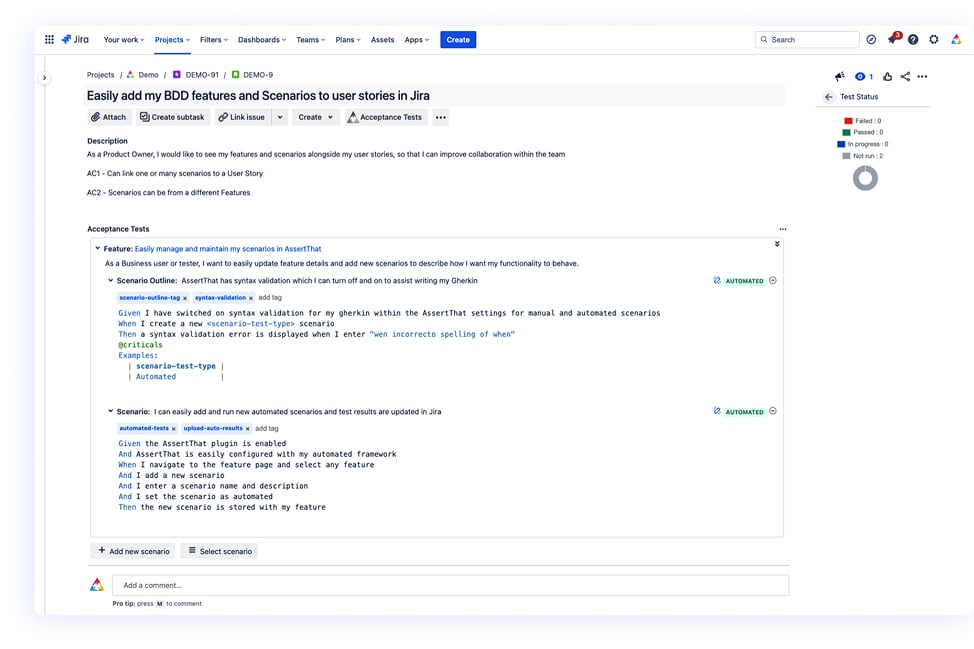
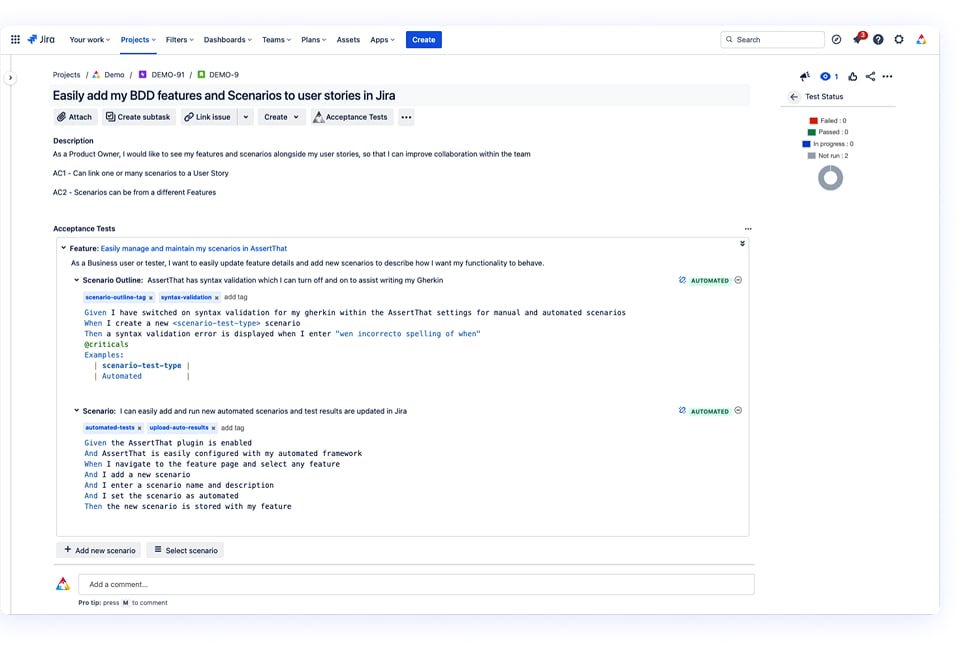
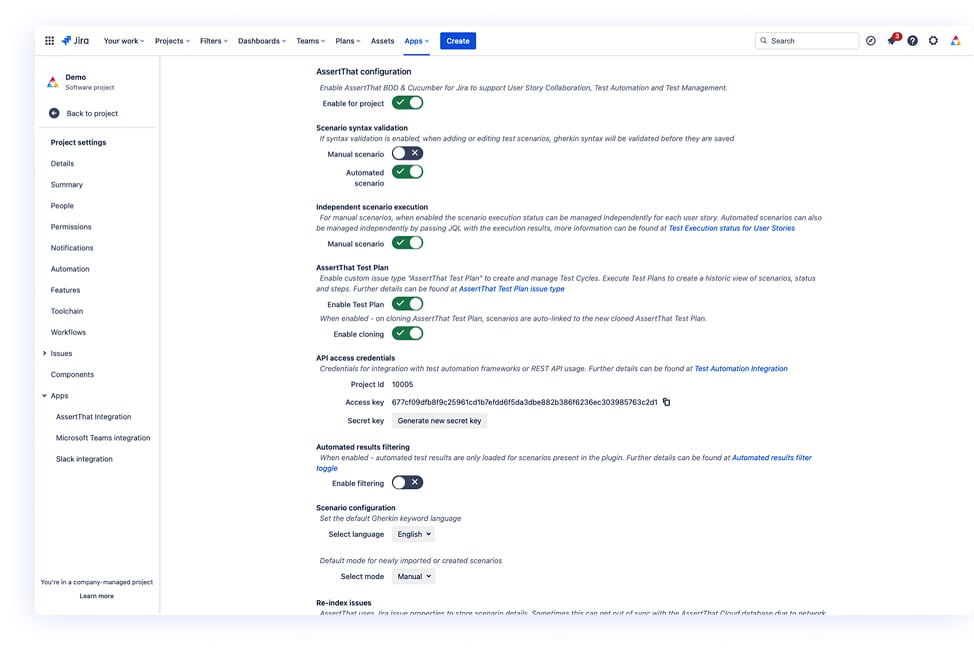
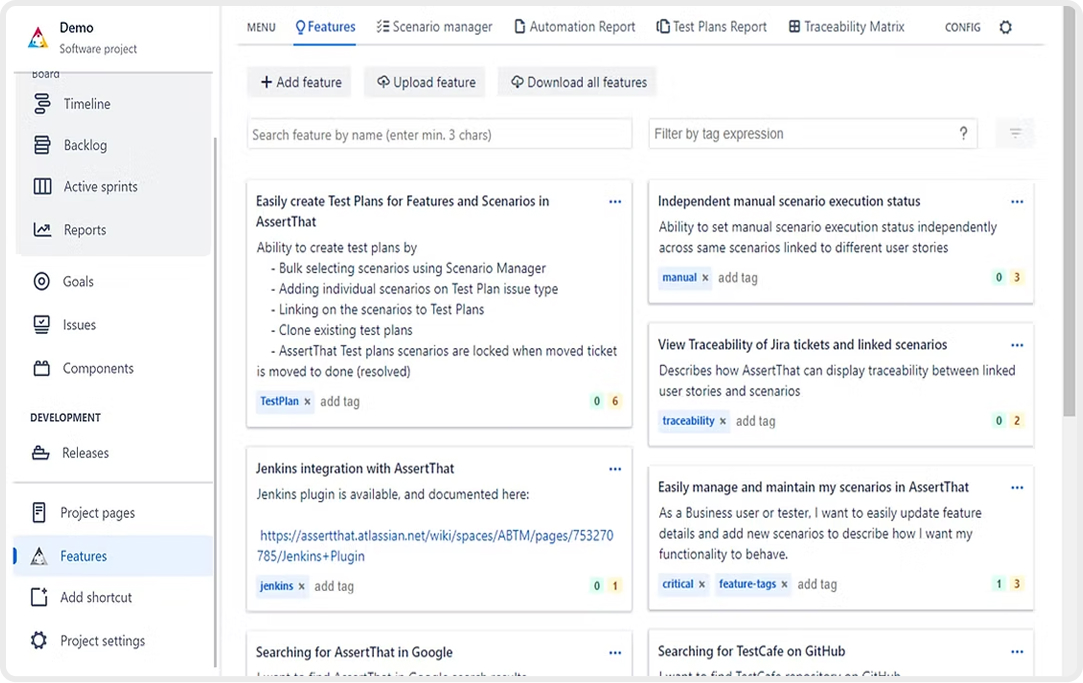
BDD Jira Plugin in Action:
How AssertThat Works
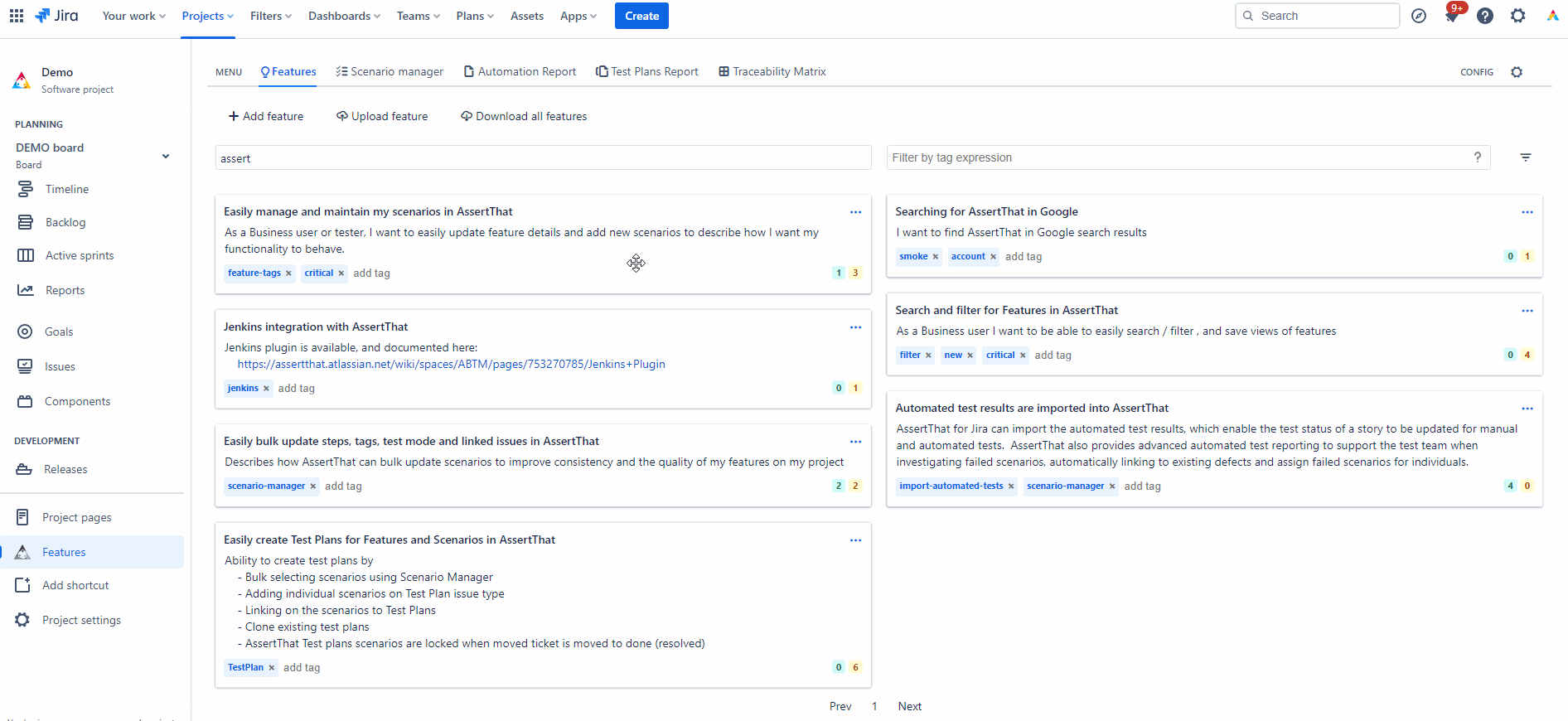
Discovery: Native to Jira for Collaboration:
Discover and define your BDD requirements directly with in Jira, fostering collaboration among teams.
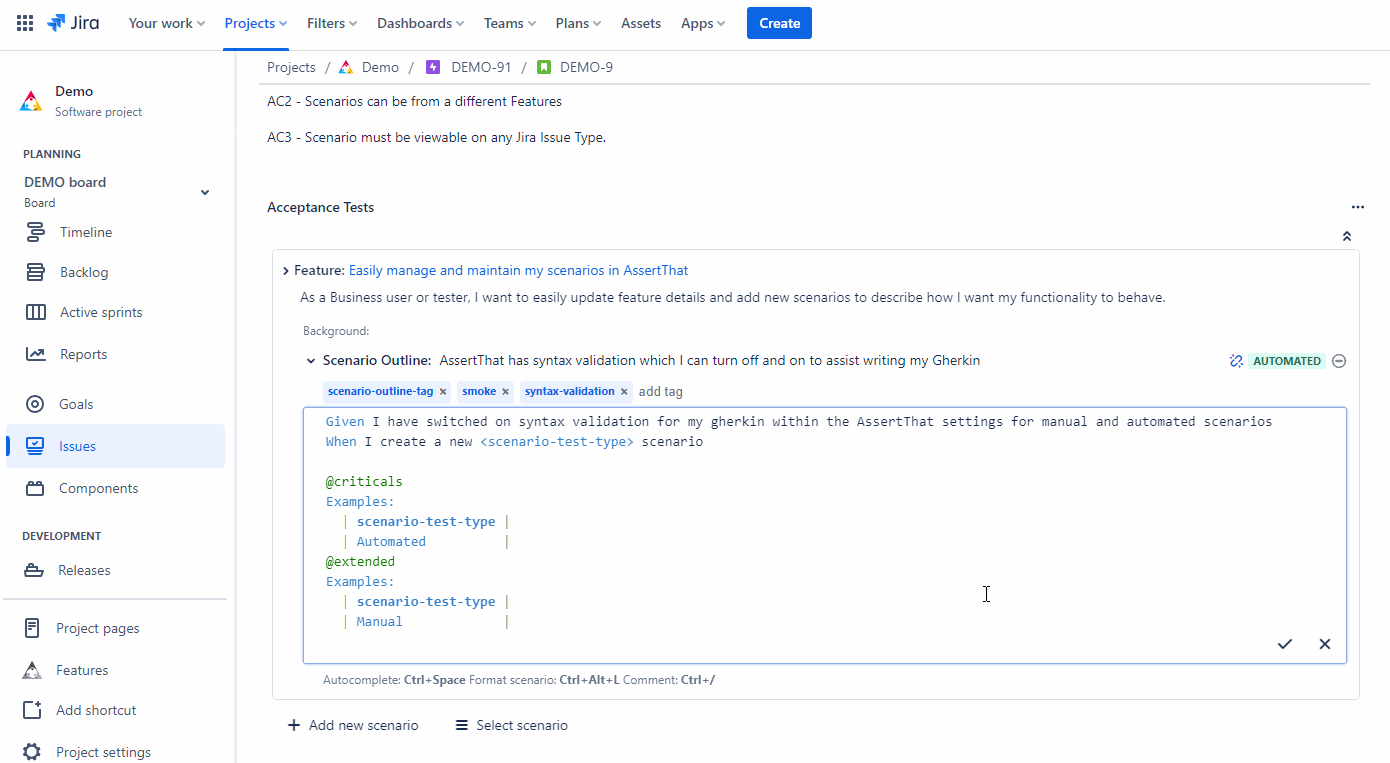
Formulation: Advanced Gherkin Scenario Creation in Jira:
Simplify your BDD workflow with our top-rated Gherkin editor in Jira, featuring autocomplete to effortlessly craft precise scenarios.
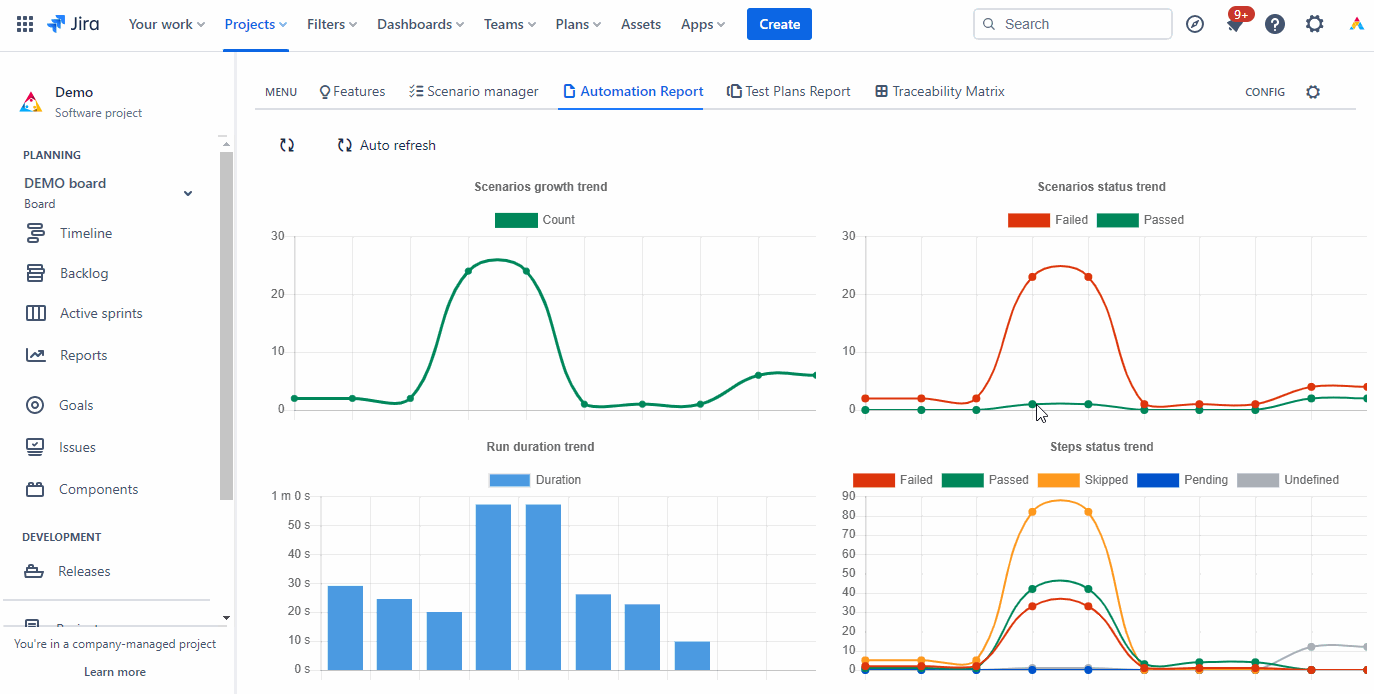
Automation: CI/CD Integration and Cucumber Compatibility
Automate your BDD process with seamless CI/CD integration and Cucumber support, bringing efficiency to your test execution.
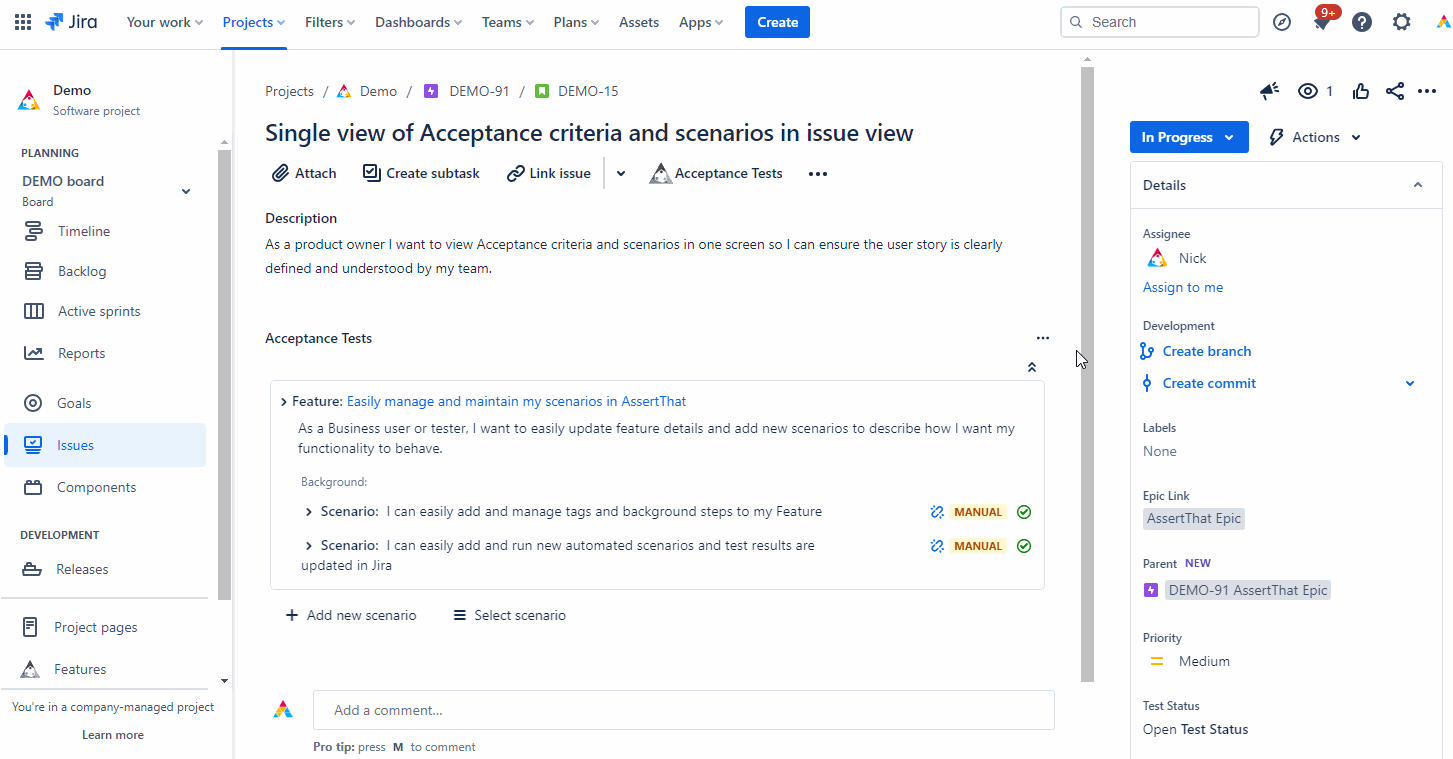
Validation: Execute Scenarios and Explore AssertThat Traceability in Jira
Validate your BDD scenarios through execution in Jira, complemented by comprehensive BDD traceability reporting.
Refinement: Enterprise Tools for Updating BDD Scenarios
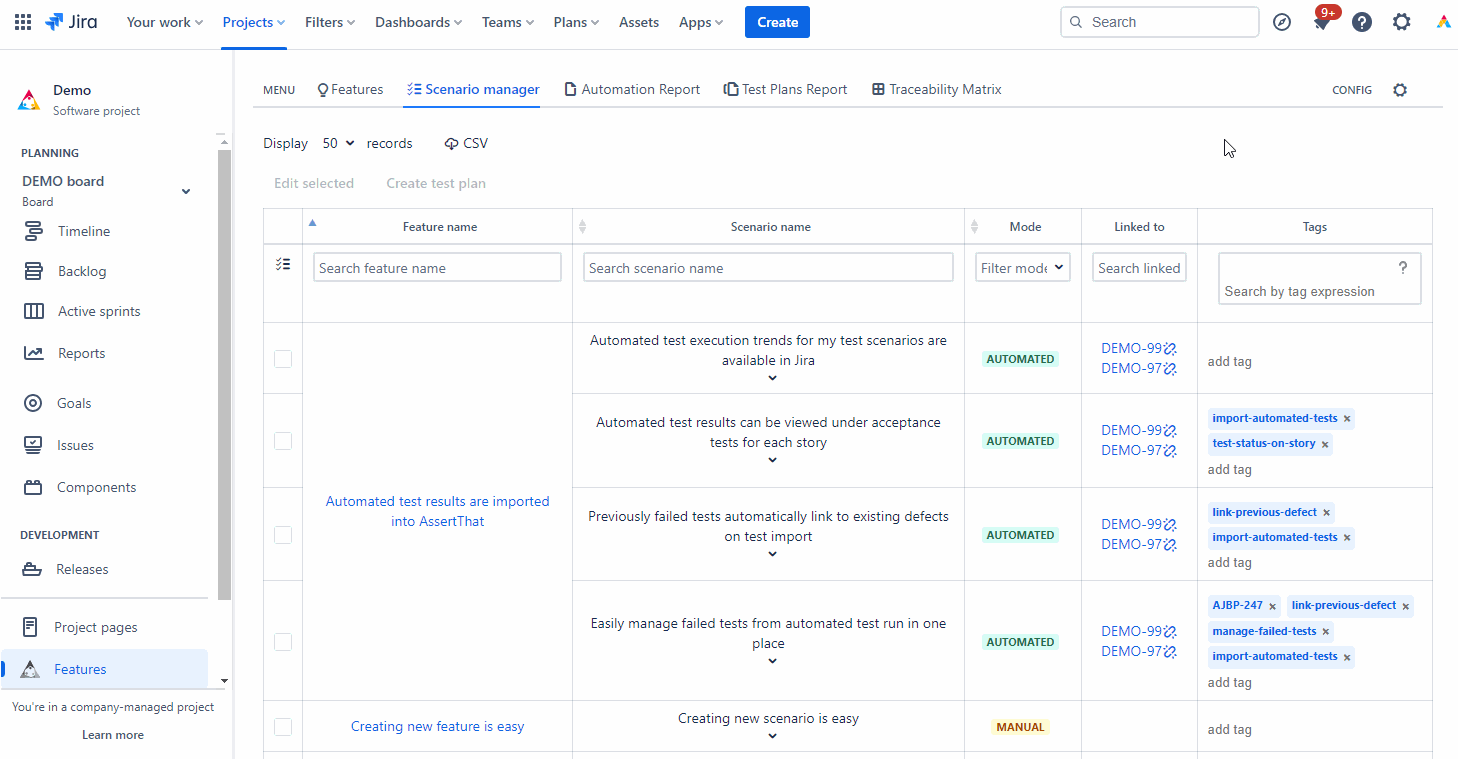
Continuously refine and update your Gherkin BDD scenarios using the Scenario Manager, designed to meet enterprise needs.
Business benefit
Seamless Collaboration Between Teams
Helps bridge the gap between business analysts, developers, and testers by allowing teams to write, manage, and execute BDD scenarios directly in Jira.
Faster, More Reliable Software Delivery
Integrates BDD with Jira for real-time test execution tracking. Ensures better requirement validation early in development, reducing late-stage defect
Jira-Native Experience for Easy Adoption
Designed to seamlessly integrate with Jira, reducing the learning curve for teams. No need for external tools—BDD scenarios, test plans, and results live within Jira’s ecosystem.

Integration
Native Jira Integration for Collaboration: Define and discuss BDD requirements directly in Jira, fostering efficient team collaboration.
Formulation
Advanced Gherkin Scenario Editor: Use an advanced Gherkin editor in Jira with autocomplete for quick and accurate scenario creation.
Automation
CI/CD Integration and Cucumber Support: Automate the BDD process with seamless integration into CI/CD pipelines and Cucumber support, improving testing efficiency.
Validation
Scenario Execution and Traceability Reporting: Execute BDD scenarios directly in Jira and access detailed traceability reports for complete transparency.
Refinement
Enterprise-Level Scenario Management: Update and refine Gherkin BDD scenarios with a scenario manager tailored for enterprise needs.
Integration
Seamless Test Automation Framework Integration: Full integration with your test automation system via plugins or CLI to streamline workflows.
Quick Setup
Rapid Deployment: Quick setup and implementation allow teams to efficiently integrate scenarios and user stories directly into Jira.
Competitive Pricing
30-Day Free Trial and Affordable Plans: Enjoy a 30-day free trial with convenient payment options via Atlassian, making the product accessible to teams of all sizes.
Customer Reviews
“AssertThat is a comprehensive plugin for Jira and supports our aim of using Jira as our single source of truth for all development requirements capture and testing. I've tried many other similar test case management solutions and plugins with Jira but none of them matches the flexibility of AssertThat. I've found integrating into our CI and test pipelines seamless, both the detailed online documentation and the Plugin support are first rate. Additionally the plugin feature-set is continually expanding (especially around reporting/dashboards etc) and I've been impressed by the engagement of the authors with the community/users in terms of feedback and guiding the plugin roadmap."
MD Group"I am using Assert That from almost 2-3 years and actually its very helpful for Testers and even easily understand the scenarios and due to this we are giving good quality of product/deliverables. Also whenever me or my team facing issues or found observations then Support team responding very quickly, I can say in couple of hours only they are fixing and deploying the changes and unblocking us very easily. Thank you so much to Assert That team for helping us. Thanks!"
LeaseAcceleratorCustomer stories
“We’ve been using AssertThat BDD & Cucumber for JIRA since the begging of our enterprise project to help facilitate communication between
Enterprise-grade security
Keep your company’s data fully protected while staying aligned with the latest industry standards and best practices.



Ready to transform your BDD experience in Jira?
Start your free trial today or connect with our experts to learn how AssertThat can streamline your BDD processes
Frequently Asked Questions
BDD and Cucumber
What is Behavior-Driven Development (BDD)?
Behavior-Driven Development (BDD) is an innovative software development approach that focuses on defining the behavior of an application from the perspective of its stakeholders. Central to BDD is the use of a common, ubiquitous language to describe system behavior, fostering collaboration between developers, QA, and non-technical stakeholders. This approach emphasizes continuous example-based communication, with scenarios written in natural language to describe system functionality.
How do I see BDD Cucumber test results in Jira?
With AssertThat BDD & Cucumber for Jira, Cucumber test results are published directly into Jira from your CI/CD pipeline using standard Cucumber JSON reports. Once uploaded, results are visible inside Jira issues and dedicated execution views, showing pass/fail status, execution history, logs, and linked requirements.
This allows teams to track automated BDD execution without leaving Jira, providing full traceability between requirements, scenarios, and test outcomes.
How can I use BDD in Jira?
AssertThat enables teams to practice BDD entirely within Jira by authoring Gherkin feature files, linking scenarios to Jira issues, and managing execution results in one place. Business analysts can write acceptance criteria in Gherkin, testers can execute scenarios manually or automatically, and developers can integrate those same scenarios into automation pipelines.
This makes Jira the central collaboration hub for BDD, rather than just a backlog tool.
Where can I view available BDD and Cucumber plugins on Atlassian Marketplace?
You can browse all BDD and Cucumber-related plugins on the Atlassian Marketplace by searching for keywords such as BDD, Cucumber, or test management. Each listing includes feature descriptions, pricing, hosting compatibility, and customer reviews.
AssertThat BDD & Cucumber Test Management for Jira is listed on the Marketplace with full Cloud and Data Center support.
How does BDD differ from traditional software development methods?
Traditional development often defines requirements separately from tests, leading to misinterpretation and late feedback. BDD differs by expressing requirements as executable examples written in a shared, structured language before development begins.
Instead of testing after implementation, BDD encourages collaboration upfront, using scenarios to define expected behaviour that can later be automated and verified continuously.
What is Cucumber, and how does it relate to BDD?
Cucumber is a testing framework that supports BDD by executing specifications written in Gherkin. BDD is the methodology, while Cucumber is one of the most widely used tools that implements it.
AssertThat bridges Cucumber and Jira by allowing Gherkin scenarios to be managed as first-class artefacts inside Jira, rather than existing only in code repositories.
Can you explain Gherkin language as used in Cucumber?
Gherkin is a structured, plain-text language used to describe system behaviour using keywords such as Feature, Scenario, Given, When, and Then. Its purpose is to make requirements readable by both technical and non-technical stakeholders.
AssertThat provides a Jira-native editor for Gherkin, supporting Scenario Outlines, Examples tables, tags, and validation to ensure compatibility with Cucumber automation.
What are the benefits of using BDD and Cucumber in software development?
BDD and Cucumber help teams align on expected behaviour early, reduce rework, and improve test coverage through executable specifications. Scenarios serve as both documentation and tests, keeping requirements and verification tightly coupled.
When combined with Jira via AssertThat, these benefits extend to improved traceability, clearer acceptance criteria, and better visibility of quality throughout the delivery lifecycle.
How does BDD help in improving communication between technical and non-technical team members?
BDD uses examples written in business-readable language rather than technical specifications. This allows product owners, analysts, testers, and developers to collaborate using the same artefacts.
By managing Gherkin scenarios directly in Jira, AssertThat ensures these shared conversations remain visible, reviewable, and actionable for all roles.
What are the best practices for writing effective BDD scenarios?
Effective BDD scenarios should describe behaviour, not implementation, and focus on observable outcomes. They should be concise, consistent, and written from the user or business perspective.
AssertThat supports these practices by encouraging reusable steps, validating syntax, and allowing scenarios to evolve from manual acceptance criteria into automated tests without duplication.
Can BDD be integrated with other testing frameworks or tools?
Yes. BDD scenarios written in Gherkin can be automated using many frameworks, including Selenium, Playwright, Cypress, REST clients, and custom test runners. Cucumber acts as the execution layer, while AssertThat manages the lifecycle in Jira.
This allows teams to integrate BDD seamlessly with CI/CD pipelines, source control systems, and existing automation stacks while keeping Jira as the central source of truth.
How do I write and structure Gherkin feature files directly inside Jira?
With AssertThat BDD & Cucumber for Jira, you can create, edit, and manage Gherkin feature files natively inside Jira — without needing an external editor. Every Scenario, Scenario Outline, Background, and Examples table can be authored in the feature editor and stored directly against your Jira project.
The editor supports multi-line steps, fast auto-completion of Given/When/Then syntax, and a clean layout that mirrors standard Cucumber conventions. Teams can write acceptance criteria in the language of the business, attach them directly to user stories, and keep test intent visible throughout the development lifecycle.
This ensures your BDD process is centralised in Jira, reducing friction between BAs, QAs, and developers. For more information see the full product walkthrough video
Does AssertThat support all Gherkin syntax (Scenario Outline, Examples, Background, Tags)?
Yes. AssertThat supports the full Gherkin syntax specification, including:
Scenario
Scenario Outline
Examples tables
Background sections
Step Tables
DocStrings
Tags (@smoke, @regression, @wip, etc.)
Every element is rendered and stored exactly according to the Cucumber standard. You can create complex scenarios, parameterised test outlines, shared backgrounds, and tagged execution groups — all directly within Jira.
This ensures compatibility with all major Cucumber runners (Java, JS, Ruby, .NET, Python) and avoids vendor lock-in.
More information can be found in this video – Add BDD Scenarios in Jira with AssertThat Plugin
AssertThat doesn’t currently support Rules.
Can I validate or lint Gherkin syntax in Jira before saving?
Yes. AssertThat performs live validation of Gherkin syntax as you author scenarios. The plugin automatically checks:
Correct Given/When/Then/And/But structure
Valid Examples tables
- Duplicate or conflicting scenario names
Missing parameters in Scenario Outline examples
Malformed tags or formatting errors
The plugin also has shortcut keys to easily format the scenarios and to auto complete steps. See video Add BDD Scenarios in Jira with AssertThat Plugin
Validation happens instantly, so teams catch issues before running tests or pushing changes to automation pipelines.
This helps maintain high-quality feature files and reduces failures caused by incorrect syntax in CI/CD.
How can I reuse or standardise steps across multiple teams and projects?
AssertThat supports step reuse and standardisation to prevent duplication and ensure consistent behaviour definitions across Jira projects.
Key capabilities include:
Reusing existing steps from other scenarios or features
Searching for matching steps while writing new ones
Encouraging business-level language that can be shared across teams
Reducing maintenance by centralising common patterns
For large organisations, shared steps help enforce consistent test language, accelerate scenario creation, and simplify onboarding for new team members.
Can I import existing Gherkin feature files into Jira?
Yes. AssertThat supports importing existing .feature files directly into Jira. You can:
Upload feature files individually
Bulk-import multiple files from your local machine
Import feature definitions from Git repositories via our Maven/CLI integration
Map imported features to Jira stories or epics
The importer preserves all original Gherkin syntax — including tags, examples tables, comments, and formatting.
This is ideal for teams migrating from standalone Cucumber frameworks or centralising multiple repositories into Jira.
How do I integrate my Cucumber automation framework with Jira using AssertThat?
AssertThat provides native integrations to connect your automated Cucumber tests to Jira. You can:
Use our Maven plugin
Use the REST API
Commit results from CI/CD pipelines (Jenkins, GitHub Actions, GitLab CI, Bamboo, Azure DevOps)
Upload standard Cucumber JSON reports
Automatically link executed scenarios to Jira issues
Once uploaded, test results appear directly in Jira with:
Execution status
Pass/fail trends
Error messages
Console logs
Linked user stories
This closes the loop between requirements, scenarios, automation, and reporting — all inside Jira. For more information integrations please see our confluence pages
Can automated and manual scenario execution be combined in AssertThat?
Yes — AssertThat supports a flexible hybrid execution model where scenarios authored in Jira can be executed either manually or automatically — and both result types feed back into the same scenario history, reporting and traceability. Here’s how it works in detail:
How hybrid execution works:
You author . feature files in Jira (or import them) and link them to user stories or requirements.
At first, a tester or business-analyst may execute a scenario manually (e.g., using the built-in test run screen inside Jira).
Later, when the scenario becomes stable, you can automate it in your CI/CD pipeline (e.g., using Cucumber, GitHub Actions, Azure DevOps or other frameworks).
When your automation runs, the plugin automatically uploads results (via the REST API or other supported upload mechanism) and updates the same scenario in Jira — so it’s exactly the same scenario definition, but now with automated execution history.
Both manual and automated executions are visible in the scenario’s history tab in Jira, so you retain full traceability of “how many times executed manually vs via automation”, pass/fail results, and links back to the user story or requirement.
You can continue to run some scenarios manually (e.g., exploratory, ad-hoc, or maintenance runs) while others transition to full automation — and this doesn’t require duplicating scenario definitions or maintaining parallel manual vs automated tracks.
Key benefits for your team:
Single source of truth: You don’t need separate definitions for manual vs automated tests — the same Scenario or Scenario Outline in Jira serves both.
Smooth transition to automation: As automation matures, you simply hook the same scenarios into CI/CD rather than starting anew.
Traceability and reporting: Because the results from both manual and automated executions are aggregated in Jira, you get unified reporting (pass/fail trends, execution frequency, history) regardless of execution mode.
Reduced maintenance overhead: No need to maintain two parallel sets of tests; your teams can evolve manual runs into automation without rewriting definitions.
How does AssertThat integrate with Git for feature-file version control?
AssertThat BDD & Cucumber for Jira enables seamless integration with Git repositories, so your teams can collaborate across Jira and Git workflows.
Supports pulling and pushing feature files with Git providers: GitHub, GitLab, Bitbucket, Azure Repos.
Two sync models documented: AssertThat as master (feature files owned in Jira and synced to Git) and Git as master (feature files owned in Git and synced into Jira). Reference the workflows:
This allows developers to work in Git and business analysts/testers to work in Jira without duplicating feature definitions or losing version control.
With this setup, you maintain synchronized versioning, consistent feature-file definitions, and full traceability across both environments, supporting flexible workflows and reducing maintenance overhead.




“We've been using AssertThat BDD & Cucumber for JIRA since the beginning of our enterprise project to help facilitate communication between Business Analysts, Product Owners and Testers. It helps us track all test cases down to actual user stories and potential failures. BAs and POs use awesome reporting that AssertThat provides to understand better the product shipment readiness and help testers with priorities. Amazing to see how this add-on continues to evolve over time and how the feedback we provide helps in shaping this wonderful tool!"
Consensys